Änderungsprotokoll
Jedes Release von Discordium, neueste zuerst (17 bisher).
v2.3.0
minorSee who is behind a review
Every reviewer now has a public profile. Click a name on any review to see who they are on Discordium, how long they have been around, what else they have reviewed, and which listings they own. Only public activity is shown; nothing private leaves your account.
Neu
- Public profiles: every Discordium member now has a page showing their avatar, name and how long they have been a member, together with three plain facts: how many public reviews they have written, how many helpful votes those reviews received, and how many listings they own.
- A reviewer's public review history, newest first and paginated, each review shown with the listing it was left on, its rating, date, helpful votes and whether the listing's team responded.
- The listings a person owns, shown on their profile when those listings are publicly listed.
- Review authors are now links: click the avatar or name on any review, reply or team response to open that person's profile.
- A "Public profile" button on your account page, so you can see your profile the way everyone else does.
Geändert
- Team responses still carry their badge; clicking the responder's name opens their personal profile, which never claims they own the listing unless they actually do.
Sicherheit
- Profiles show public activity only. Reviews that are hidden, removed or deleted, and reviews on listings that are not publicly visible, never appear, whatever page you look at. Saved listings, notifications, team memberships and account details stay private.
- Profile pages are not offered to search engines.
v2.2.0
minorSave what you find, shape your listing, hear back from owners
You can now save any server, bot or game server to come back to later. Listing owners get formatted descriptions with a live preview, a Reviews tab to answer feedback, and accent colours on premium plans. Replies from a listing's team are clearly marked, and reviewers are told when they get one.
Neu
- Save any server, bot or game server with the new Save button on its page, and find them all again on your private Saved page, with filters by type and one-click removal.
- Formatted descriptions: owners can use headings, bold and italic text, lists, quotes, links and code in their listing description, with a Write/Preview switch that shows exactly how it will look.
- Team responses to reviews: when a listing's team replies to a review, the reply is marked as a team response, shown first, and the reviewer is notified. Listings also show how many reviews the team has answered.
- A Reviews tab in the listing dashboard where owners see every review, filter to the ones still awaiting an answer, and reply from one place. Game-server owners get the same panel on their edit page.
- Custom accent colour for listings on the Growth, Verified and Enterprise plans, shown on the listing page header and on directory cards.
- The menu on server cards now does something: save the server for later, copy its link or report it without opening the page.
Geändert
- If you have Manage Server permission on a Discord server that is listed here, the listing now appears in your dashboard and you can edit it, even if someone else added it.
- Invited team members of a game-server listing can now edit it, and managers can manage the team from the listing's edit page.
- Game servers now show up correctly in your dashboard alongside servers and bots.
- Under a review, replies from the listing's team appear before other replies.
Behoben
- Dashboard cards for game servers linked to a page that did not exist.
- The three-dot button on server cards did nothing when pressed.
Sicherheit
- Only Discordium decides whether a reply counts as a team response, based on who actually manages the listing. Nothing in a reply can claim it, so nobody can pose as an owner.
- Formatted descriptions are rendered from a strict, safe subset and cleaned before display. Raw HTML, scripts and unsafe links are never shown.
- People who help manage a listing, including through Discord permissions, can no longer review that listing.
v2.1.5
minorBump your bot, see how it's doing, and trust your webhook
Bots can now be bumped, from the dashboard or with /bump bot: in Discord, and the bot directory opens on the most recently bumped bots. Bot teams get an Insights tab with votes, bumps, views and directory position over time. On the developer side, every webhook delivery can be redelivered, and the Integrations tab tells you at a glance whether your webhook is healthy, failing or disabled, and what to do about it.
Neu
- Bump your bot. Anyone on a bot's team can bump it from the listing dashboard or with /bump bot:@YourBot in any server Dizi is in. A bump moves the bot to the top of the bot directory, once every 2 hours per bot. Sign in to Discordium with the same Discord account first, so we know it's your bot.
- Insights for bot listings. The new Insights tab in your bot's dashboard shows votes, bumps, listing views and card impressions per day, how the last 7, 30 or 90 days compare with the period before, the server count your bot reports, and where your bot currently sits in the directory.
- Redeliver webhook events. Every delivery in the Integrations tab has a Redeliver button. It sends the same event again with the same eventId, so a receiver that deduplicates treats it like a retry. Use it to verify a fix against a real vote, or to push the votes that were missed while your endpoint was down.
- Webhook health at a glance. The Integrations tab now says whether your webhook is healthy, failing (with the count toward automatic disabling), disabled, or waiting for its first delivery. It also shows the last successful delivery, the last failure with its HTTP status, and how many recent events are still being retried or ended undelivered.
- Bump notifications for bots. When a teammate bumps your bot, you get the same daily digest server owners already receive for server bumps.
Geändert
- The bot directory now opens on "Recently bumped", the same way the server directory does. Bots that have never been bumped keep their order by votes, so nothing moves until the first bump.
- Bot pages show the bump count next to votes.
- The webhook developer docs cover redelivery, the health block, and what a Failing state means, including why a 4xx is never retried and a 5xx is.
Behoben
- The webhook section labelled the last successful delivery as "last delivery", which made a failing endpoint look active. It now says what it means.
v2.1.0
minorDiscordium Developer Platform
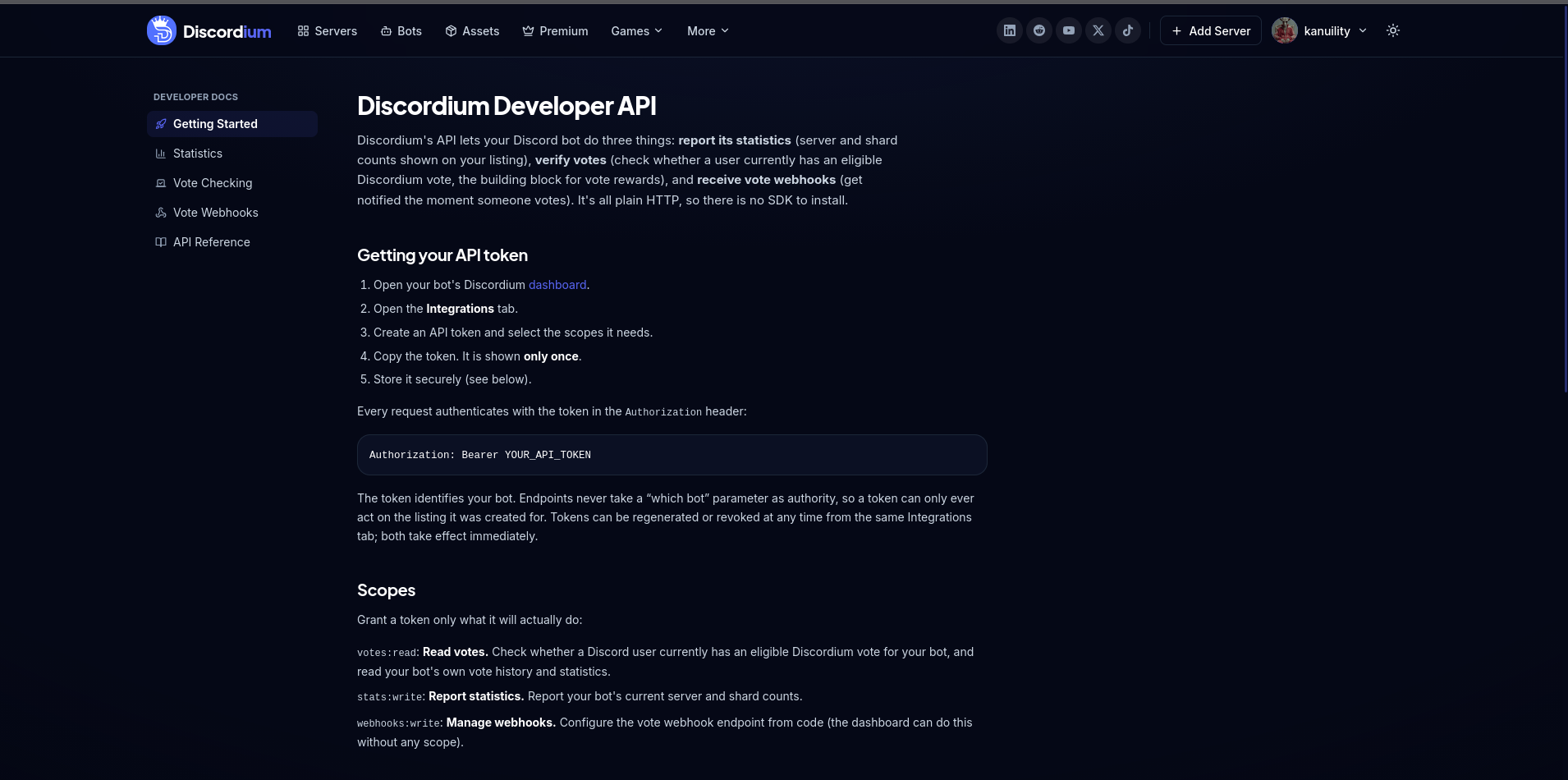
Bots can now talk to Discordium: report their stats, verify votes, and get notified the moment someone votes. Plus a new Integrations tab in the dashboard and full documentation at
Neu
- API tokens and Integrations tab. Create a scoped API token from your bot's dashboard (Dashboard → Integrations). Owners and team managers can both manage integrations.
- Bot statistics. Your bot can report its server and shard counts. They show live on your listing with a "last updated" time.
- Vote checking API. Ask whether a user currently has an eligible vote for your bot, one at a time or up to 50 at once. This is the building block for vote rewards.
- Vote webhooks. Get a signed HTTP event the moment someone votes, with automatic retries, a test button, and a delivery log in the dashboard. Pasting a Discord channel webhook URL gets you vote announcements with zero code.
- Developer documentation. Guides and a full API reference at /developers, with copy-paste examples for Node.js and Python.
Geändert
- Honest vote counts. The vote number on every listing now shows exactly how many people voted. Premium placement still works, but it no longer changes the displayed count, so some numbers may have adjusted slightly.
- Clearer API errors. Every error now carries a stable machine-readable code, and rate-limit responses say exactly how long to wait.
v2.0.0
majorThe New Discordium — Platform Redesign
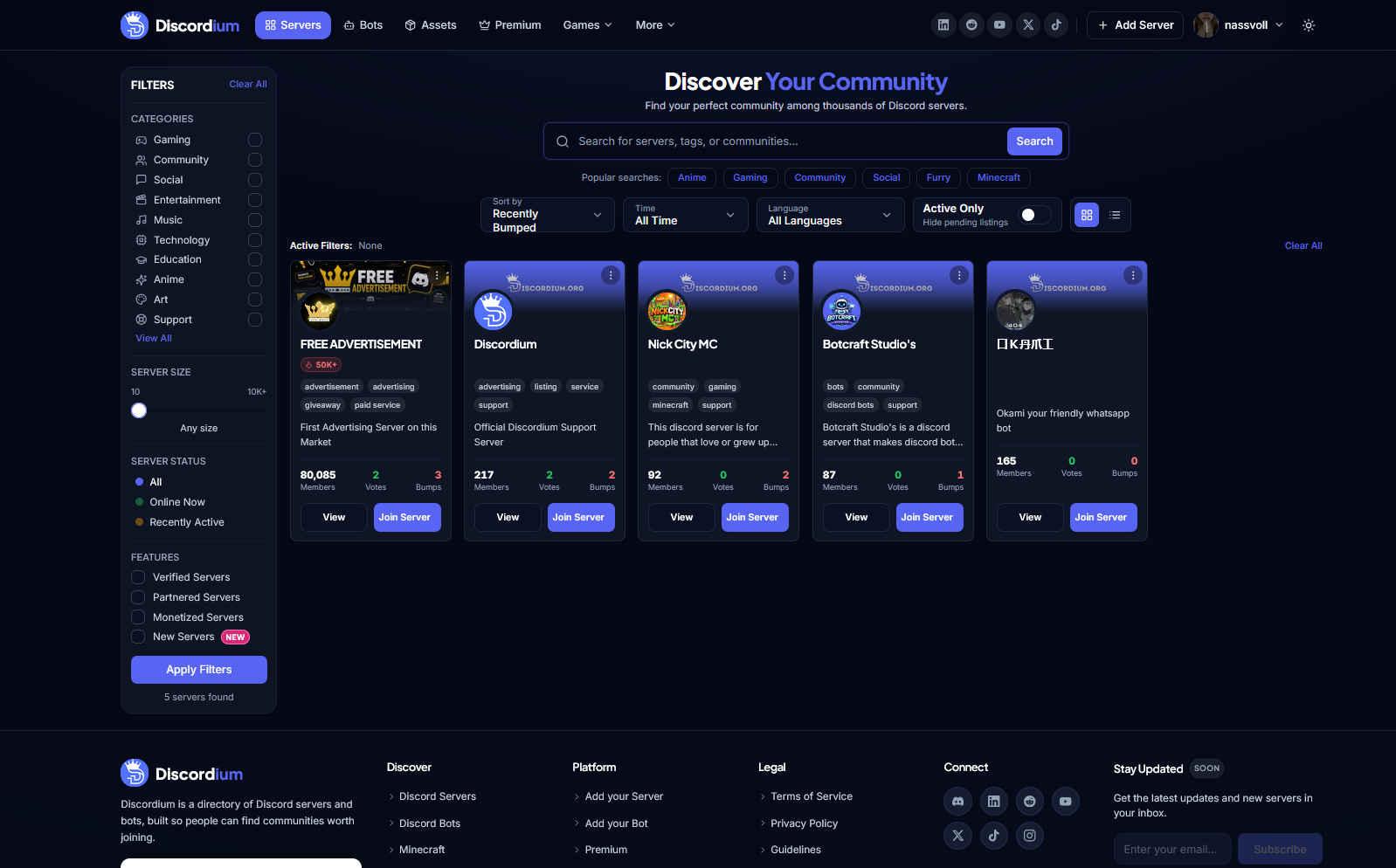
A major Discordium platform update introducing a redesigned experience, improved discovery, user profiles, a new dashboard, expanded game listings, new safety and legal resources, and major platform-wide improvements.
Neu
- New redesigned Discordium interface across the platform
- New user profiles with connected listings and account information
- New account dropdown with Profile, Dashboard, and Sign out actions
- New Dashboard for managing servers, bots, and game listings
- Quick actions for adding servers, adding bots, and accessing Premium
- New Server Discovery experience
- New Bot Discovery experience
- Game server discovery for Minecraft, FiveM, Roblox, and Hytale
- New Assets Library for community assets
- New Add Your Server experience
- New Add Your Bot experience
- New Dizi page and platform integration
- Connect+ integration
- New Programs & Certifications page
- New Blog experience
- New Changelog system
- New real-time Service Status page
- New Support Discordium donation page
- New Contact page with dedicated support channels
- New Community Guidelines
- Expanded Safety Hub and security resources
- New Cookie Preferences center
- New Refund & Payment Policy
- New DMCA Policy
Geändert
- Redesigned global navigation and account menu
- Redesigned platform footer with improved navigation
- Updated Terms of Service
- Updated Privacy Policy
- Updated Legal Notice
- Improved Premium experience
- Improved listing layouts and status indicators
- Improved responsive layouts across the platform
- Improved visual consistency for cards, buttons, badges, and navigation
- Improved account privacy and data controls
- Discordium is now structured as a connected discovery ecosystem for communities, bots, games, assets, and platform services
Behoben
- Improved inconsistent spacing and layouts across platform pages
- Improved navigation consistency between Discordium services
- Improved mobile and responsive behaviour
- Improved accessibility and readability of platform components
- Improved account and listing management flows
Entfernt
- Removed outdated page layouts replaced by the new Discordium design system
- Removed legacy navigation patterns replaced by the unified platform navigation
- Removed outdated listing and management interfaces
Sicherheit
- Expanded account security and safety resources
- Added dedicated scam and phishing awareness resources
- Added social engineering awareness resources
- Added API token security guidance
- Added improved cookie and consent controls
- Added clearer privacy and data request options
- Expanded copyright and DMCA reporting procedures
- Improved transparency around data processing and platform security
v1.17.0
minorIntroducing Support Discordium
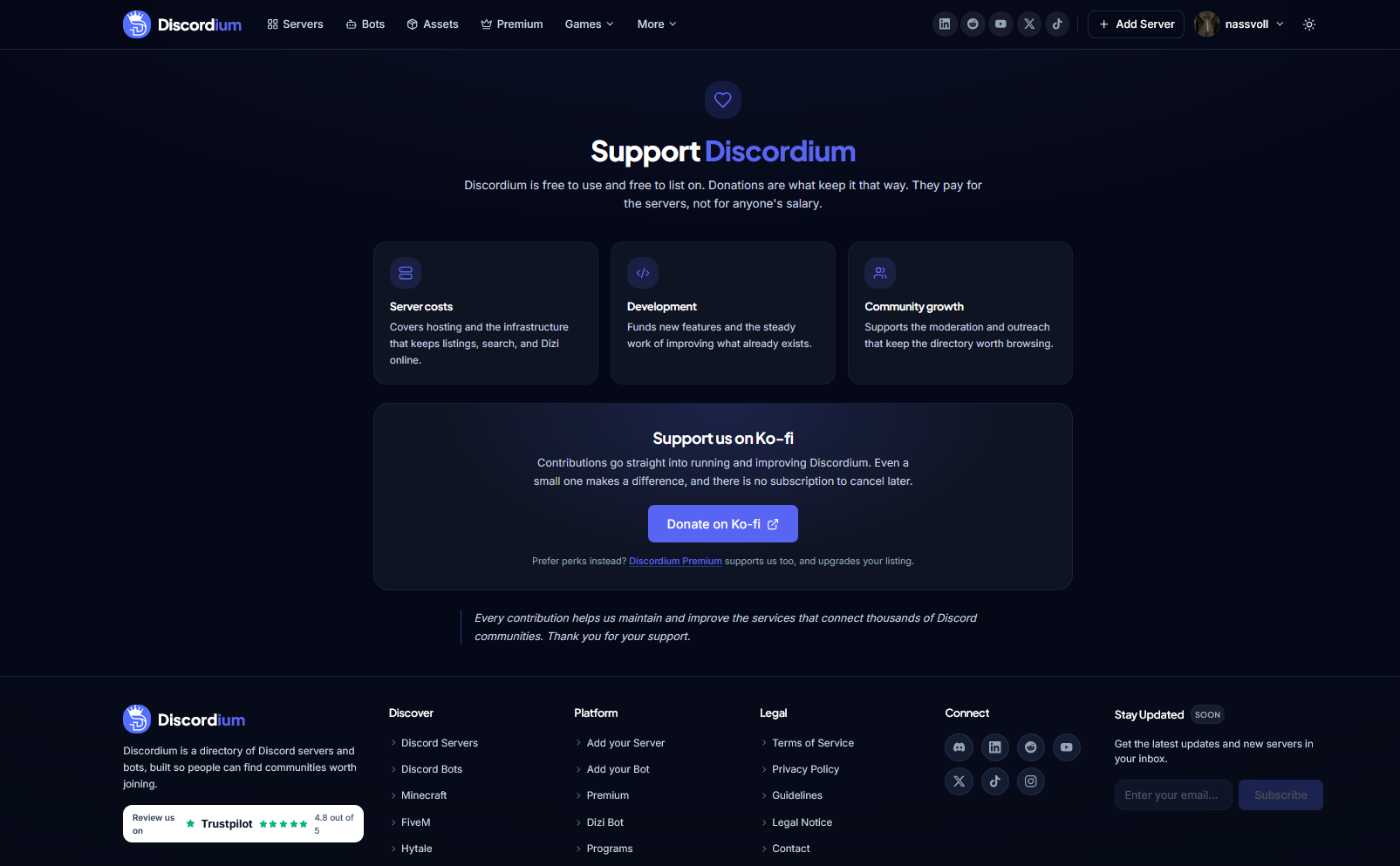
A new way to support Discordium. The Support Discordium page explains how contributions help fund infrastructure, development, and community growth while keeping the platform free to use and free to list on.
Neu
- New Support Discordium page
- Ko-fi donation integration
- Direct Donate on Ko-fi action
- Server costs funding information
- Development funding information
- Community growth funding information
- Transparent overview of how contributions support Discordium
- Direct link to Discordium Premium as an alternative way to support the platform
- Dedicated contribution information section
- Support messaging explaining Discordium's free-to-use model
Geändert
- Improved transparency around how Discordium is funded
- Clarified that Discordium remains free to use and free to list on
- Clarified that donations help cover platform and server infrastructure
- Improved explanation of how contributions support ongoing development
- Improved explanation of how contributions support moderation and community outreach
- Separated voluntary donations from Discordium Premium
- Updated the Donate page to match the current Discordium design system
- Improved desktop and mobile responsiveness
Behoben
- Improved donation page layout and readability
- Improved external donation link handling
- Improved presentation of funding information
- Improved spacing and alignment across support sections
- Improved responsive layouts across different screen sizes
Sicherheit
- Donations are handled externally through Ko-fi
- Discordium does not directly collect payment information through the Donate page
- Improved handling of external donation links
- Added clearer separation between Discordium and third-party payment processing
v1.16.0
minorNew Changelog & Service Status
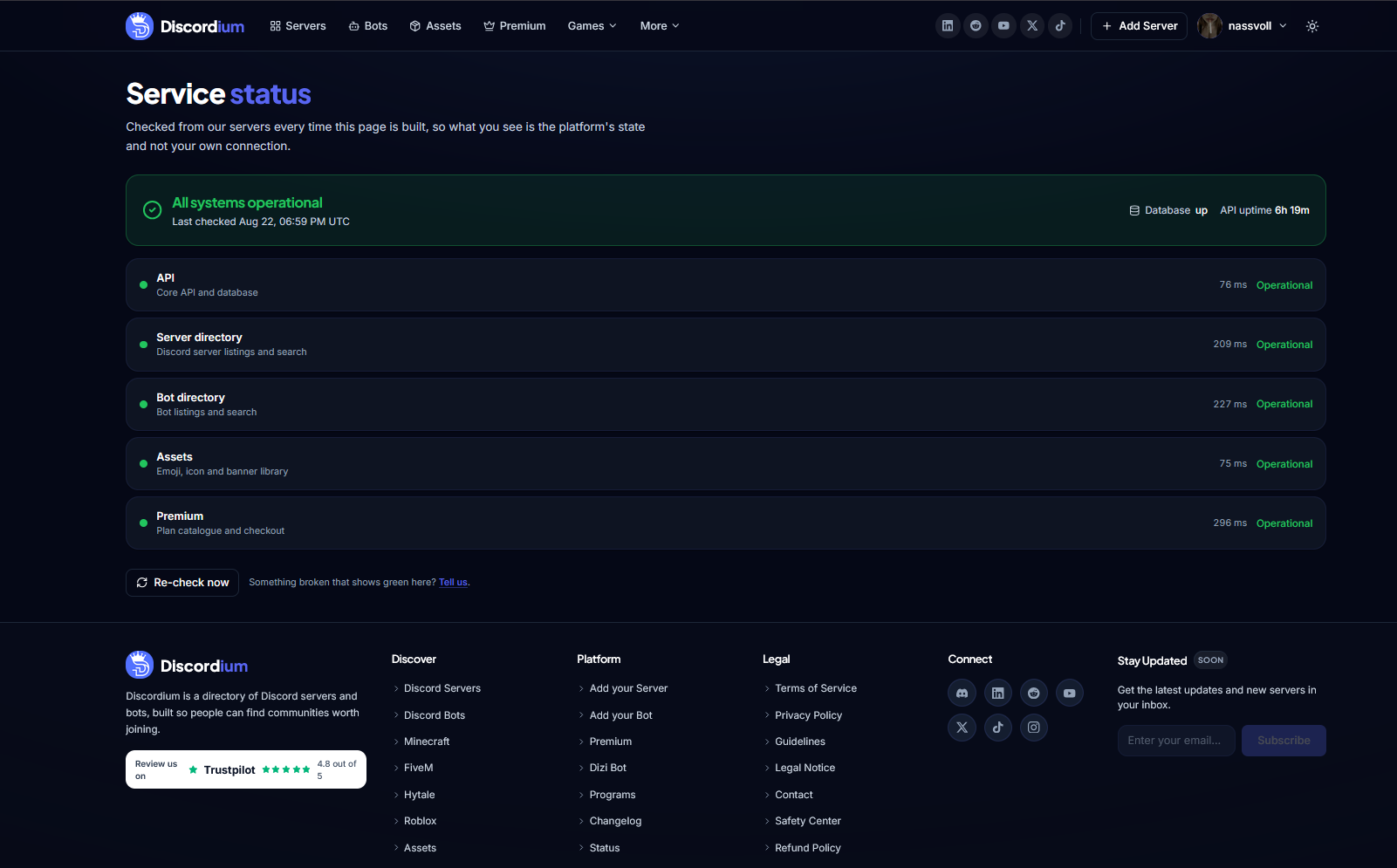
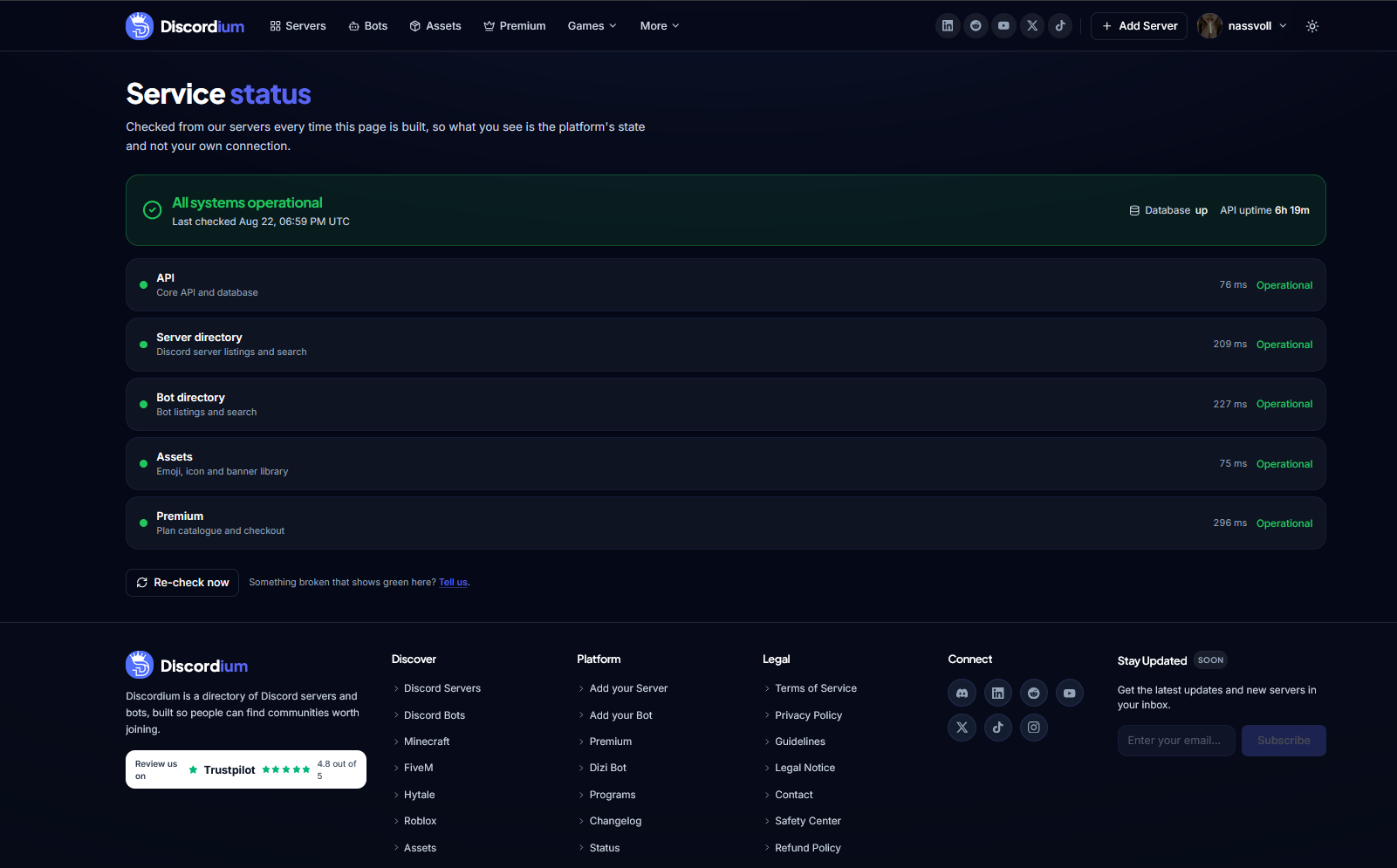
More transparency across Discordium. The new Changelog and Service Status pages make it easier to follow platform releases, feature updates, system health, API availability, and service performance.
Neu
- New public Discordium Changelog
- New public Service Status page
- Complete Discordium release history
- Release version numbers
- Release dates
- Release type indicators
- Major, Minor, Patch, and Hotfix release types
- Changelog search functionality
- Release type filtering
- Detailed release summaries
- Release cover images
- Added, Changed, Fixed, Removed, and Security release sections
- Live platform health overview
- Overall system status indicator
- API health monitoring
- Database status monitoring
- Server Directory status monitoring
- Bot Directory status monitoring
- Assets Library status monitoring
- Premium service status monitoring
- Service response time indicators
- API uptime information
- Last status check timestamp
- Manual Re-check functionality
- Direct issue reporting for unexpected service problems
Geändert
- Centralized Discordium release information into one public Changelog
- Improved transparency around platform updates and releases
- Improved visibility of Discordium service health
- Improved visibility of API and database availability
- Introduced individual health monitoring for core Discordium services
- Improved presentation of release history with screenshots and summaries
- Updated Changelog and Status pages to match the current Discordium design system
- Improved desktop and mobile responsiveness
Behoben
- Improved platform status reporting
- Improved service response time presentation
- Improved Changelog search and filtering
- Improved release card rendering
- Improved handling of release screenshots
- Improved status indicator consistency
- Improved responsive layouts across both pages
Sicherheit
- Service health information is limited to operational data intended for public visibility
- Internal infrastructure details and sensitive monitoring information remain private
- Improved separation between public service status information and internal infrastructure data
- Added safer handling of public release content and changelog metadata
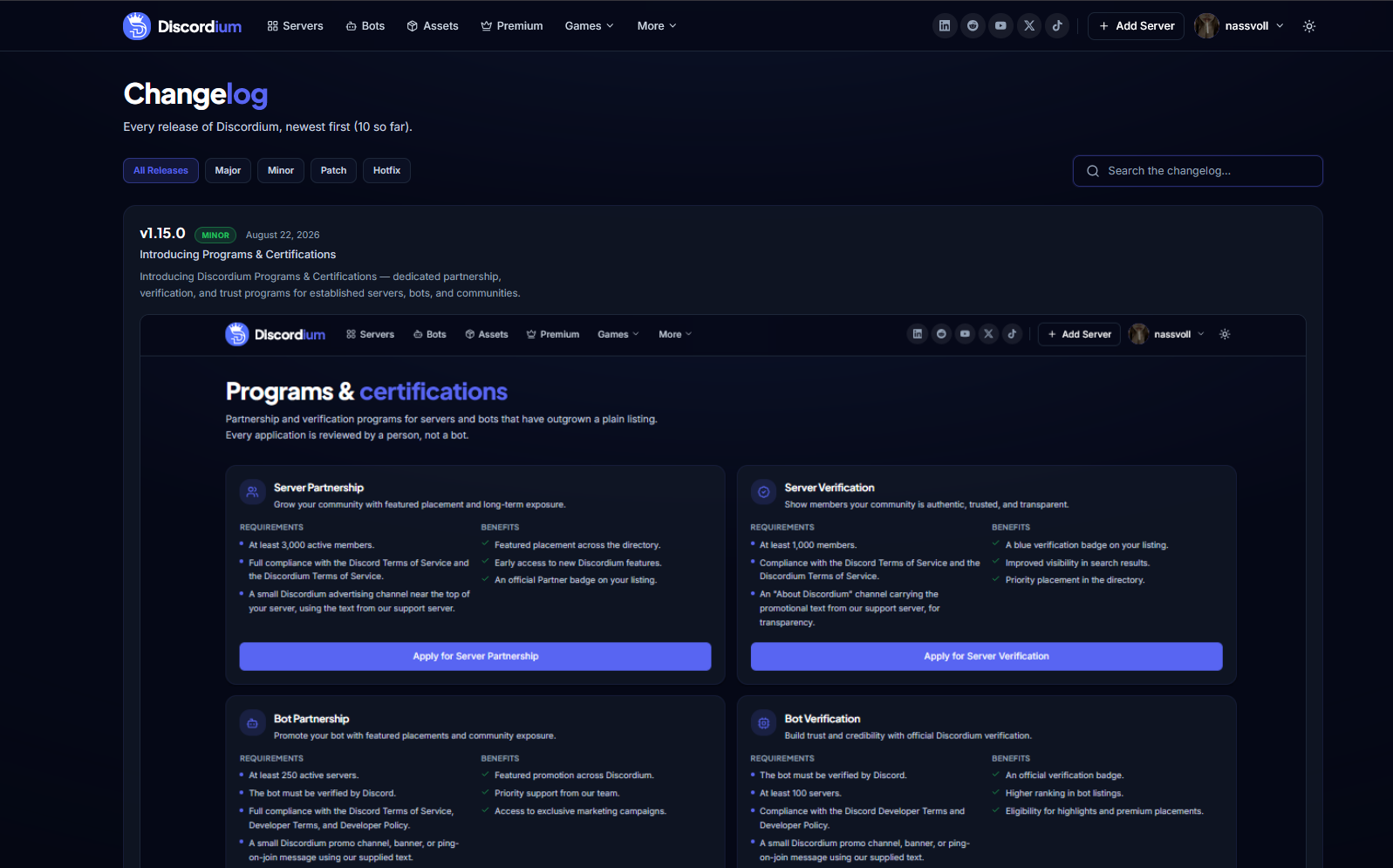
v1.15.0
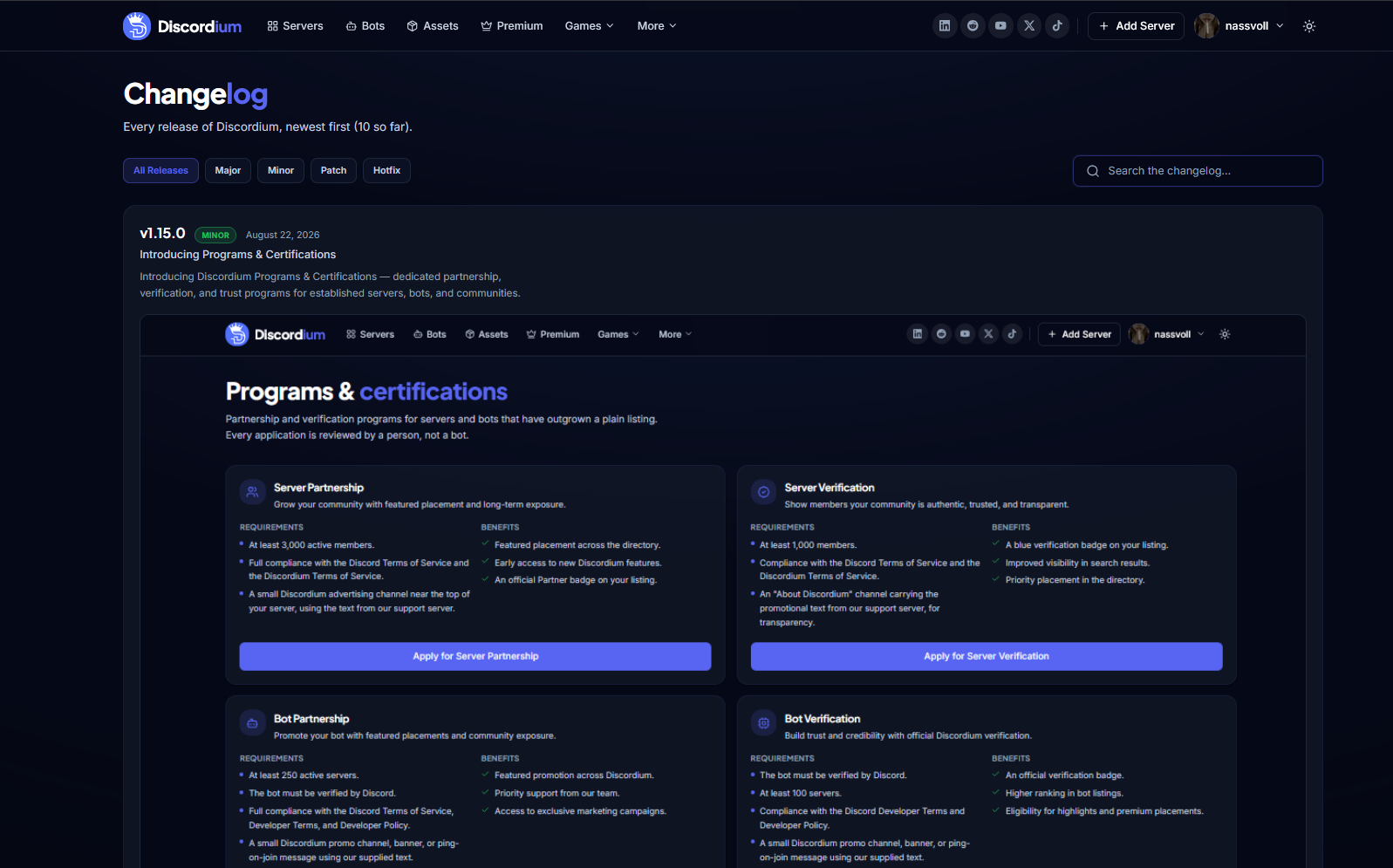
minorIntroducing Programs & Certifications
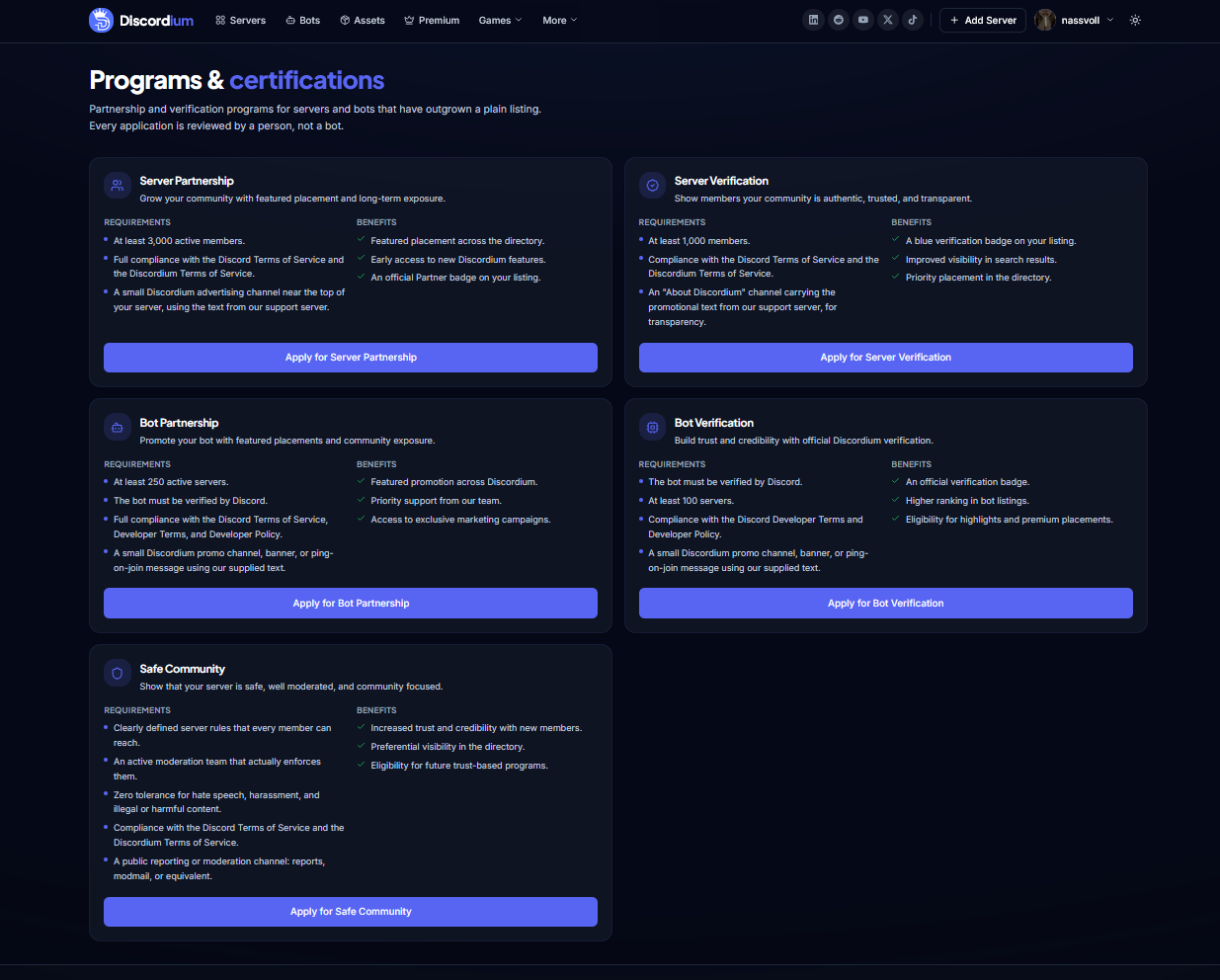
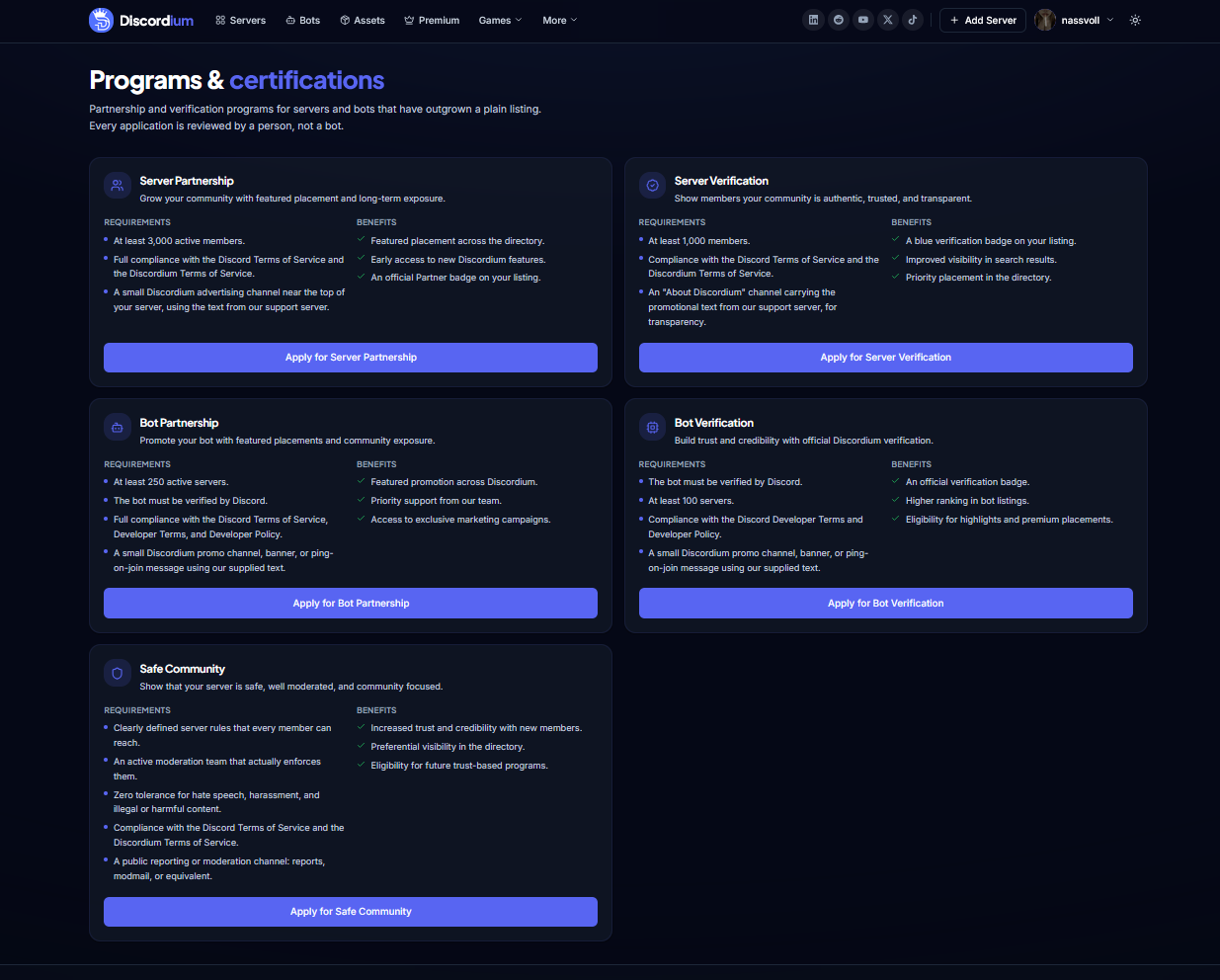
Introducing Discordium Programs & Certifications — dedicated partnership, verification, and trust programs for established servers, bots, and communities.
Neu
- New Programs & Certifications page
- Server Partnership program
- Server Verification program
- Bot Partnership program
- Bot Verification program
- Safe Community certification
- Dedicated eligibility requirements for every program
- Dedicated program benefits
- Direct application actions for each program
- Official Partner badges for approved partners
- Official Verification badges for verified listings
- Featured directory placement for eligible partners
- Priority discovery placement for verified listings
- Marketing opportunities for selected partners
- Safe Community trust recognition
- Human-reviewed program applications
Geändert
- Centralized Discordium partnership and verification programs
- Introduced clearer eligibility requirements for partnerships
- Introduced separate verification programs for servers and bots
- Improved transparency around program requirements and benefits
- Improved distinction between Partnership and Verification
- Improved visibility of trusted and established communities
- Updated Programs & Certifications to match the current Discordium design system
- Improved application navigation
- Improved desktop and mobile responsiveness
Behoben
- Improved presentation of program requirements
- Improved presentation of program benefits
- Improved consistency between Server and Bot programs
- Improved program card spacing and readability
- Improved application button visibility
- Improved responsive program layouts
Sicherheit
- Applications are manually reviewed before approval
- Added compliance requirements for Discord and Discordium Terms of Service
- Bot Verification requires Discord verification
- Safe Community certification requires active moderation and clearly defined server rules
- Safe Community certification requires public reporting or moderation options
- Added safety requirements covering hate speech, harassment, and illegal or harmful content
- Added additional trust and eligibility checks before partnership or verification approval
v1.14.0
minorIntroducing the New Dizi Page
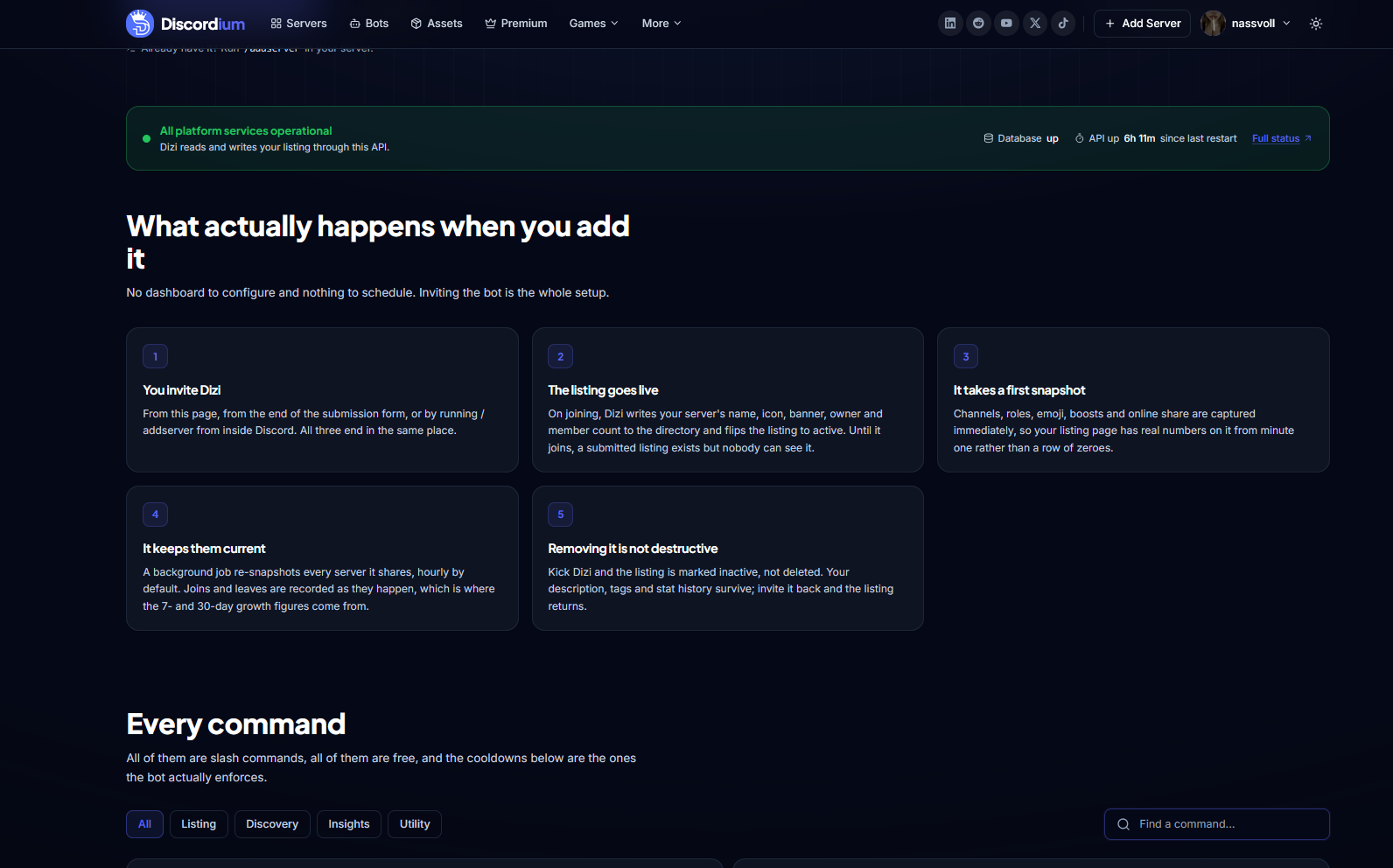
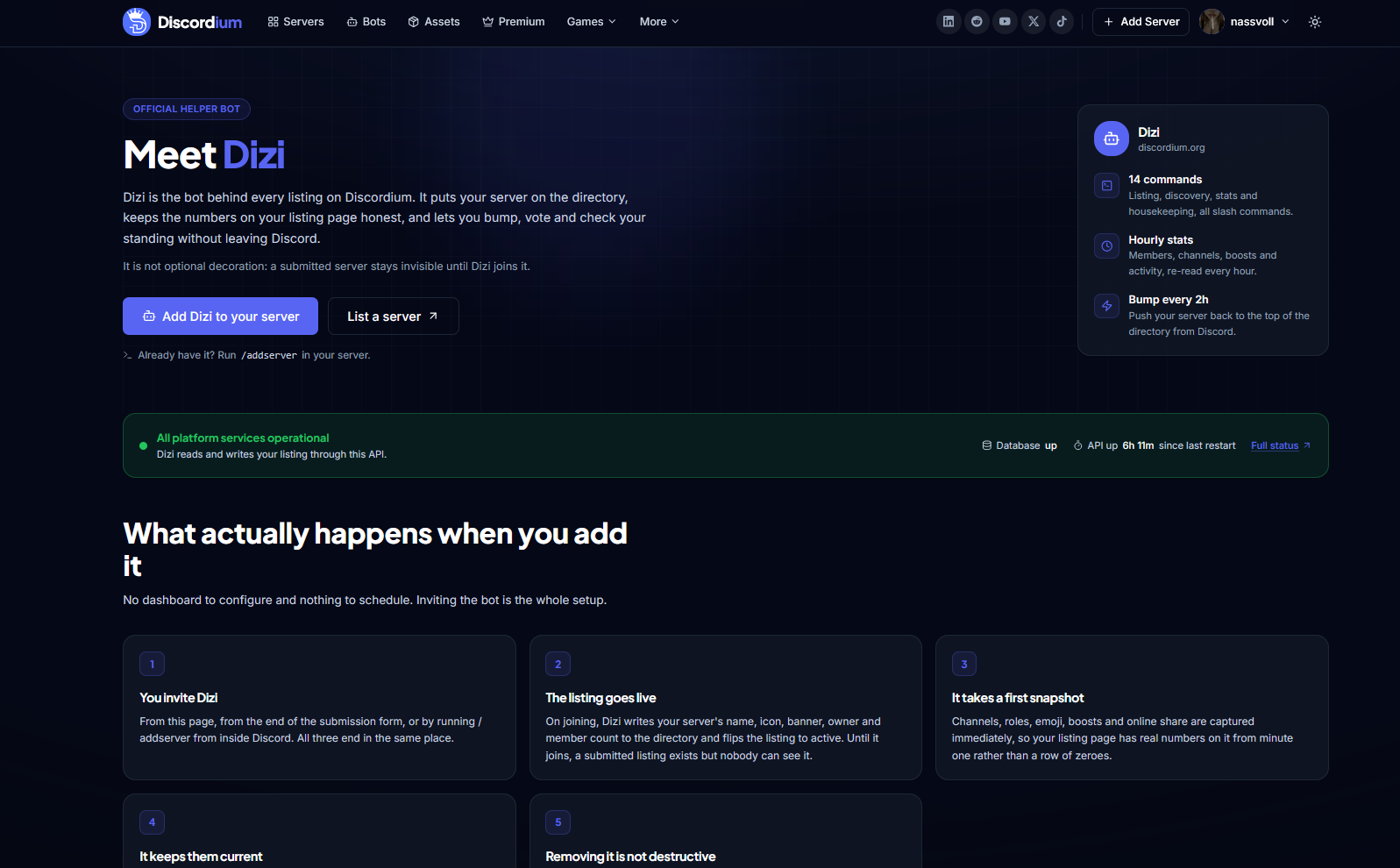
Meet Dizi, the official Discordium helper bot. The new Dizi page explains how listings, bumps, votes, statistics, commands, permissions, and Discordium integration work — all in one place.
Neu
- New dedicated Dizi information page
- Direct Add Dizi to Your Server action
- Direct server listing action
- Live Discordium platform status
- Database status indicator
- API status and uptime information
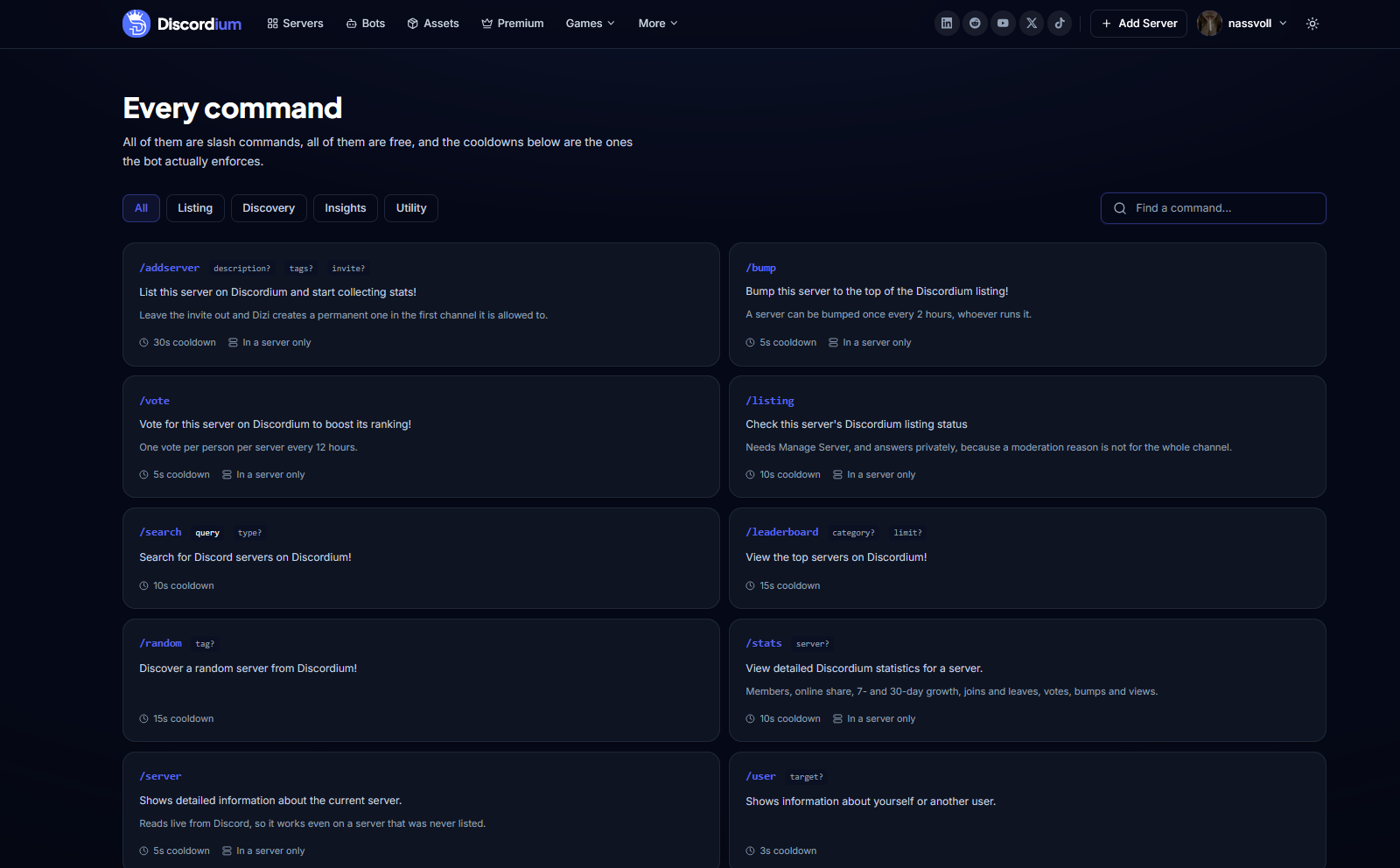
- Complete Dizi command directory
- Command search functionality
- Command category filtering
- Command cooldown information
- Command availability information
- Detailed /addserver documentation
- Detailed /bump documentation
- Detailed /vote documentation
- Detailed /listing documentation
- Detailed /search documentation
- Detailed /leaderboard documentation
- Detailed /random documentation
- Detailed /stats documentation
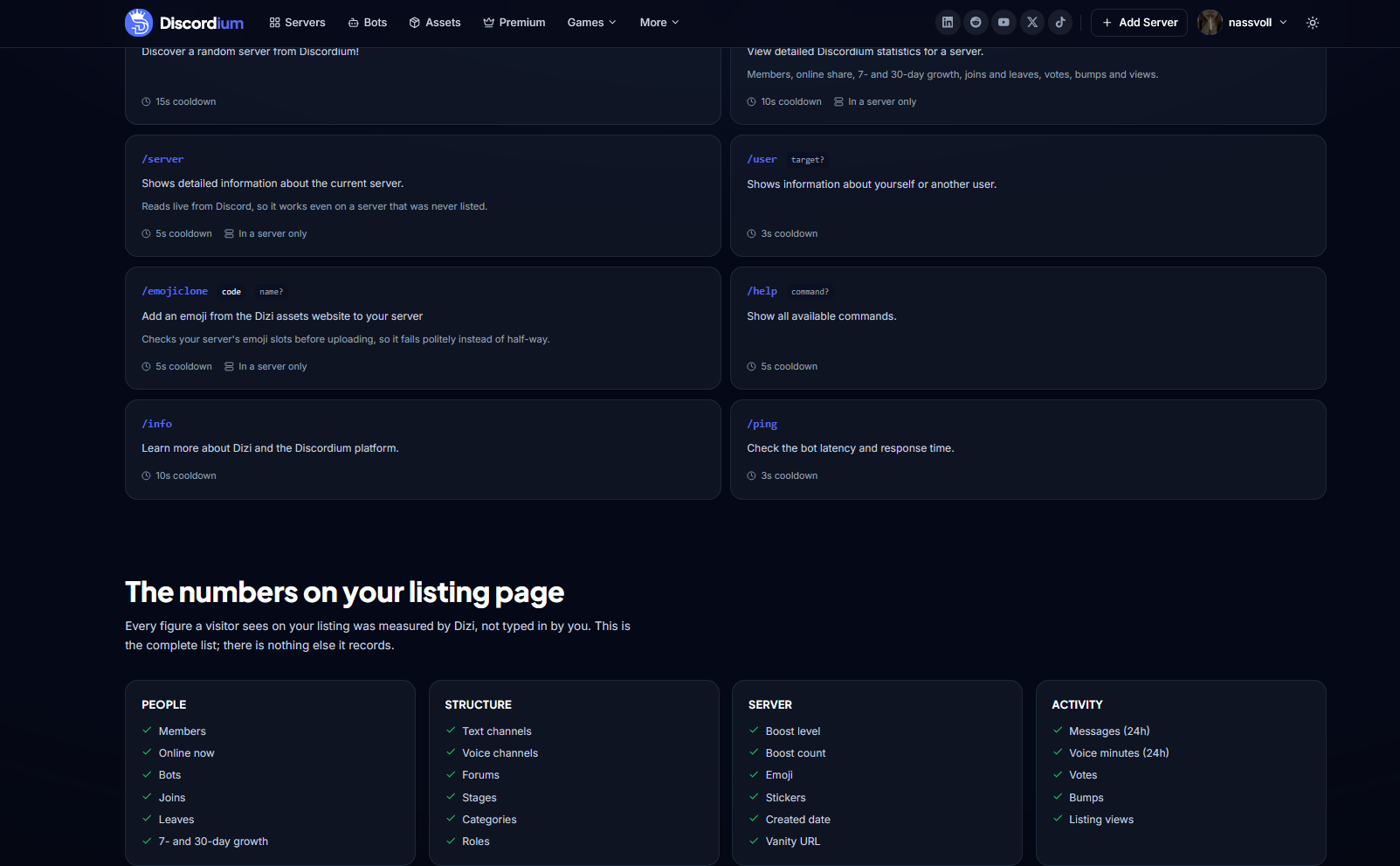
- Detailed /server documentation
- Detailed /user documentation
- Detailed /emojiclone documentation
- Detailed /help documentation
- Detailed /info documentation
- Detailed /ping documentation
- Explanation of the Dizi listing activation process
- Automatic first server snapshot
- Hourly server statistics updates
- Join and leave tracking
- 7-day and 30-day growth statistics
- Server member and online statistics
- Server structure statistics
- Boost, emoji and sticker statistics
- Server activity statistics
- Listing views, votes and bump statistics
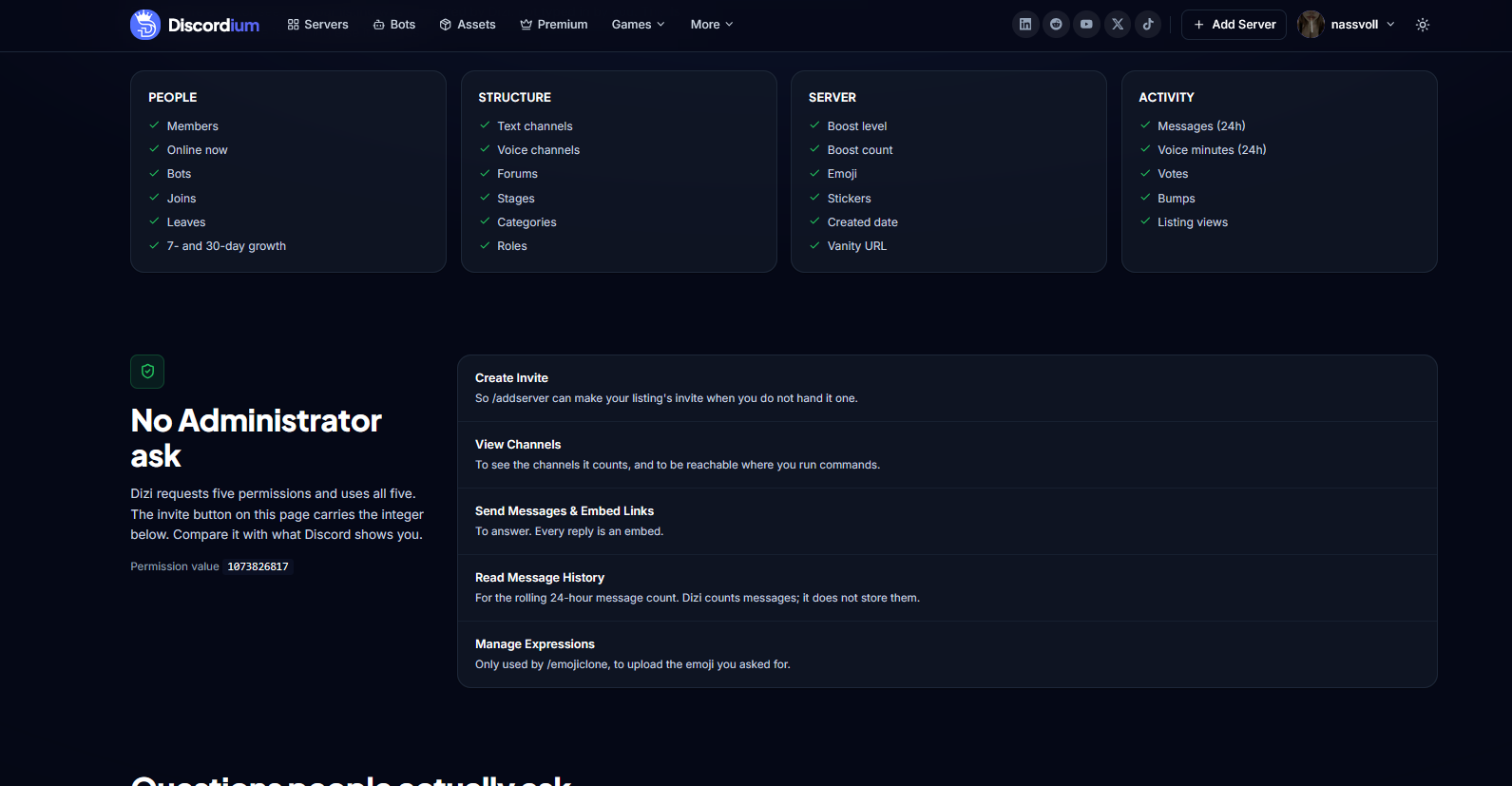
- Detailed Dizi permissions overview
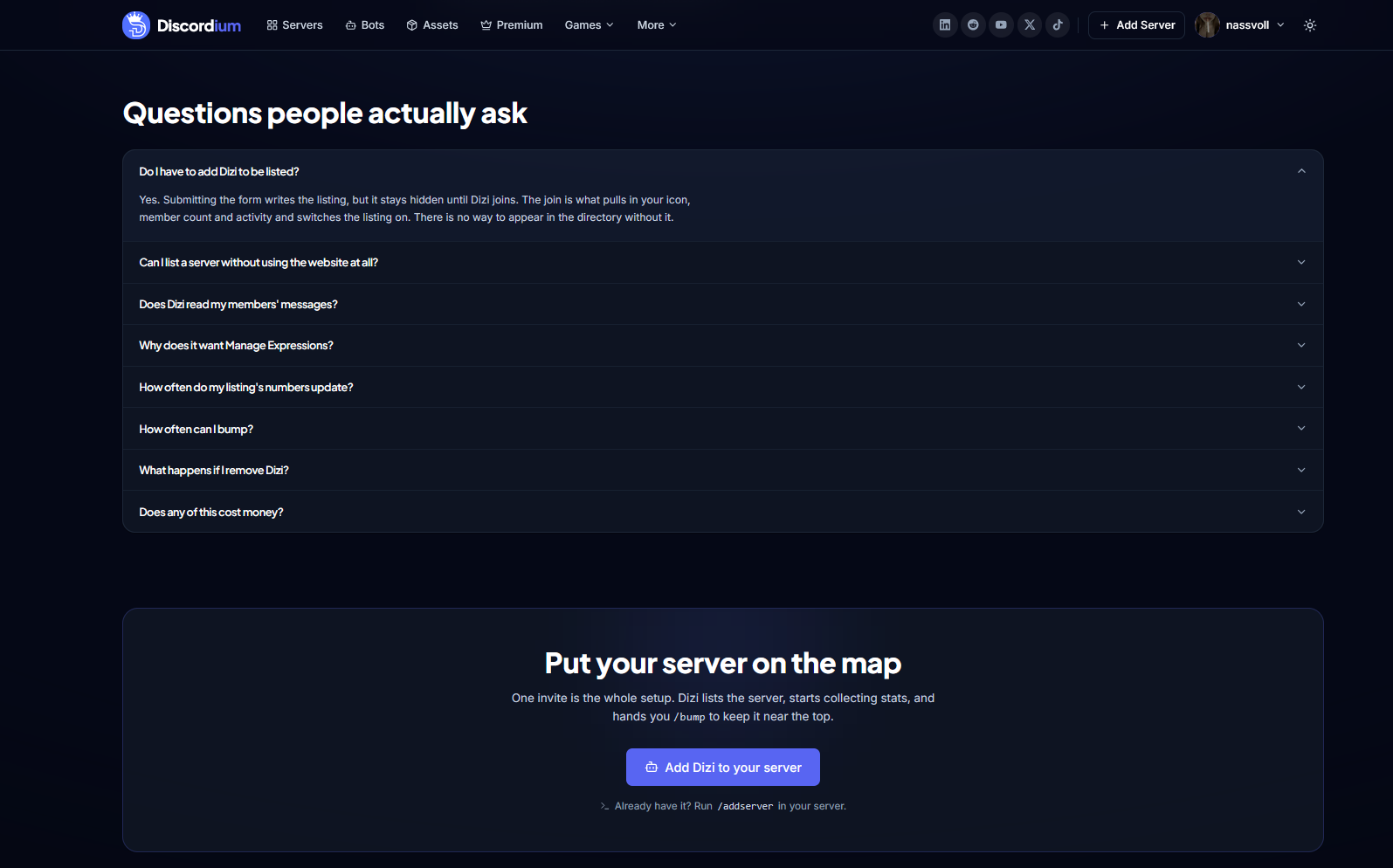
- FAQ section covering common Dizi questions
- Direct access to full platform status
Geändert
- Redesigned Dizi as an integrated part of the Discordium platform
- Improved explanation of how Dizi connects Discord servers with Discordium
- Improved visibility of Dizi commands and their cooldowns
- Improved transparency around the statistics Dizi collects
- Improved explanation of server listing activation
- Listings remain hidden until Dizi joins the submitted server
- Server information is automatically synchronized with Discordium
- Server statistics are refreshed automatically every hour
- Removing Dizi now marks the listing inactive instead of deleting its history
- Improved explanation of required Discord permissions
- Updated Dizi Page to match the current Discordium design system
- Improved desktop and mobile responsiveness
Behoben
- Improved command documentation readability
- Improved command search and category navigation
- Improved presentation of server statistics
- Improved platform status presentation
- Improved permission descriptions
- Improved FAQ navigation
- Improved responsive layouts across the Dizi Page
- Improved handling of inactive server listings
Entfernt
- Need for a separate dashboard configuration after adding Dizi
- Manual synchronization of supported server statistics
- Administrator permission requirement
Sicherheit
- Dizi does not request Administrator permission
- Limited Dizi to the permissions required for its Discordium functionality
- Added transparent documentation of every requested permission
- Read Message History is used for rolling activity statistics without storing message content
- Manage Expressions is limited to features such as /emojiclone
- Improved transparency around the server information and statistics processed by Dizi
- Server listings become inactive when Dizi is removed instead of continuing to display outdated live information
v1.13.0
minorNew Add Your Bot Experience
A redesigned bot submission experience with secure ownership verification, automatic Discord information, listing previews, and a streamlined review process — without ever requiring your bot token.
Neu
- New Add Your Bot submission experience
- Bot submission using Discord Client IDs
- One-time ownership verification codes
- Application description ownership verification
- Step-by-step bot submission process
- Automatic bot information retrieval
- Dedicated Bot Details section
- Bot invite configuration
- Bot support information
- Rules & Guidelines confirmation
- Direct access to Discordium Guidelines
- Live bot listing preview
- Pending Review status preview
- Automatic bot avatar integration
- Automatic bot server count integration
- Bot listing review process
- Bot submission validation
- Dedicated listing benefits overview
- Free bot listings
Geändert
- Completely redesigned the bot submission interface
- Simplified the process of adding bots to Discordium
- Organized bot submissions into four clear sections
- Improved bot ownership verification
- Bot details remain locked until ownership is verified
- Improved visibility of verification and review requirements
- Improved Discordium Guidelines integration
- Improved preview of how bots appear in Bot Discovery
- Updated Add Your Bot to match the current Discordium design system
- Improved desktop and mobile responsiveness
Behoben
- Improved Discord Client ID validation
- Improved bot ownership verification state handling
- Improved verification code validation
- Improved bot information retrieval
- Improved submission form validation
- Improved bot listing preview rendering
- Improved error and loading states
- Improved handling of invalid or unavailable bot applications
- Improved responsive form layouts
Entfernt
- Requirement for users to provide sensitive bot credentials
- Unnecessary manual ownership verification steps
Sicherheit
- Introduced one-time ownership verification codes
- Bot ownership must be verified before listing details can be submitted
- Discordium never requests or stores Discord bot tokens during submission
- Improved validation of Discord Client IDs
- Improved validation and sanitization of bot listing information
- Added additional safeguards against unauthorized bot submissions
- Added Guidelines confirmation before bot submission
v1.12.0
minorNew Add Your Server Experience
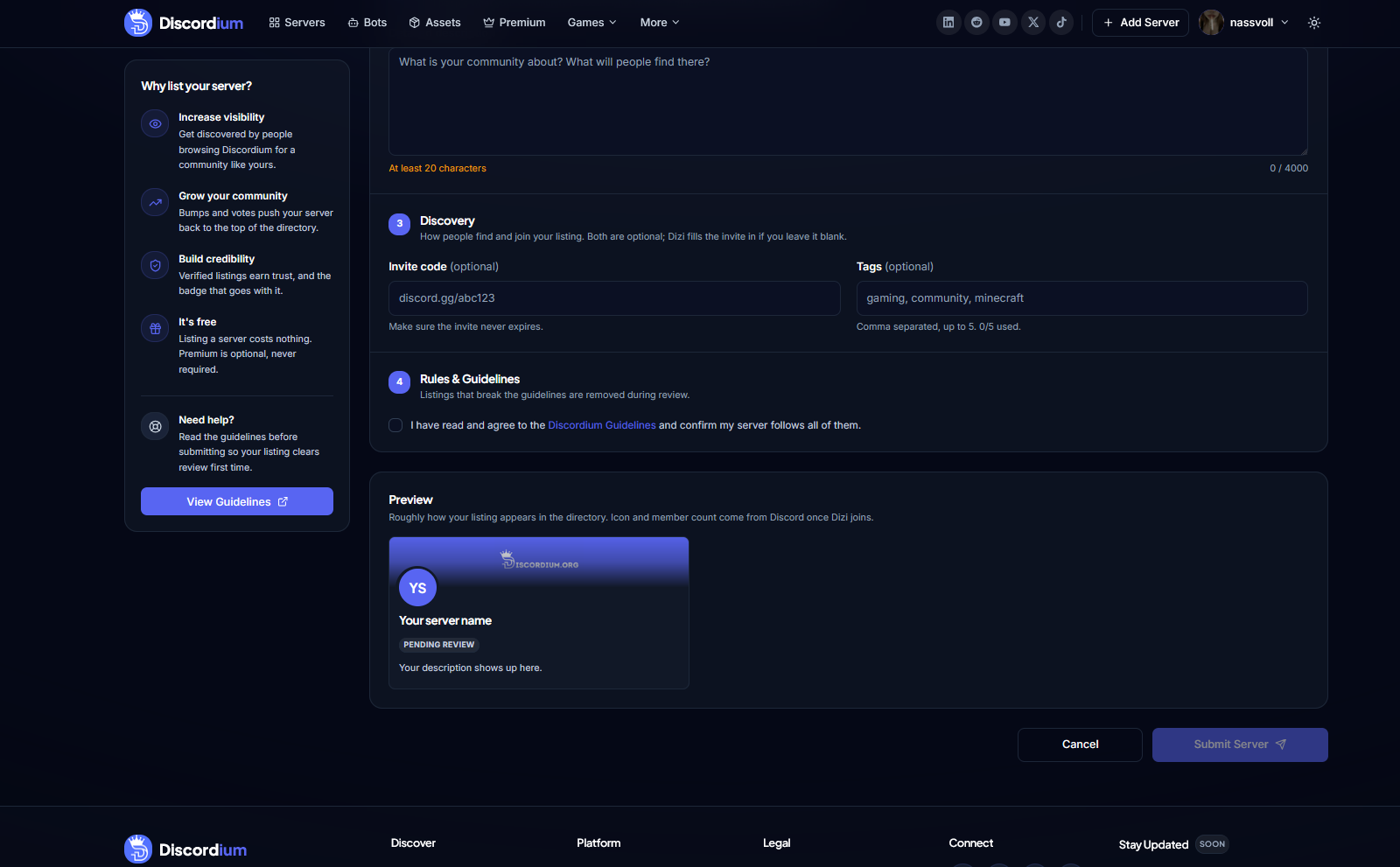
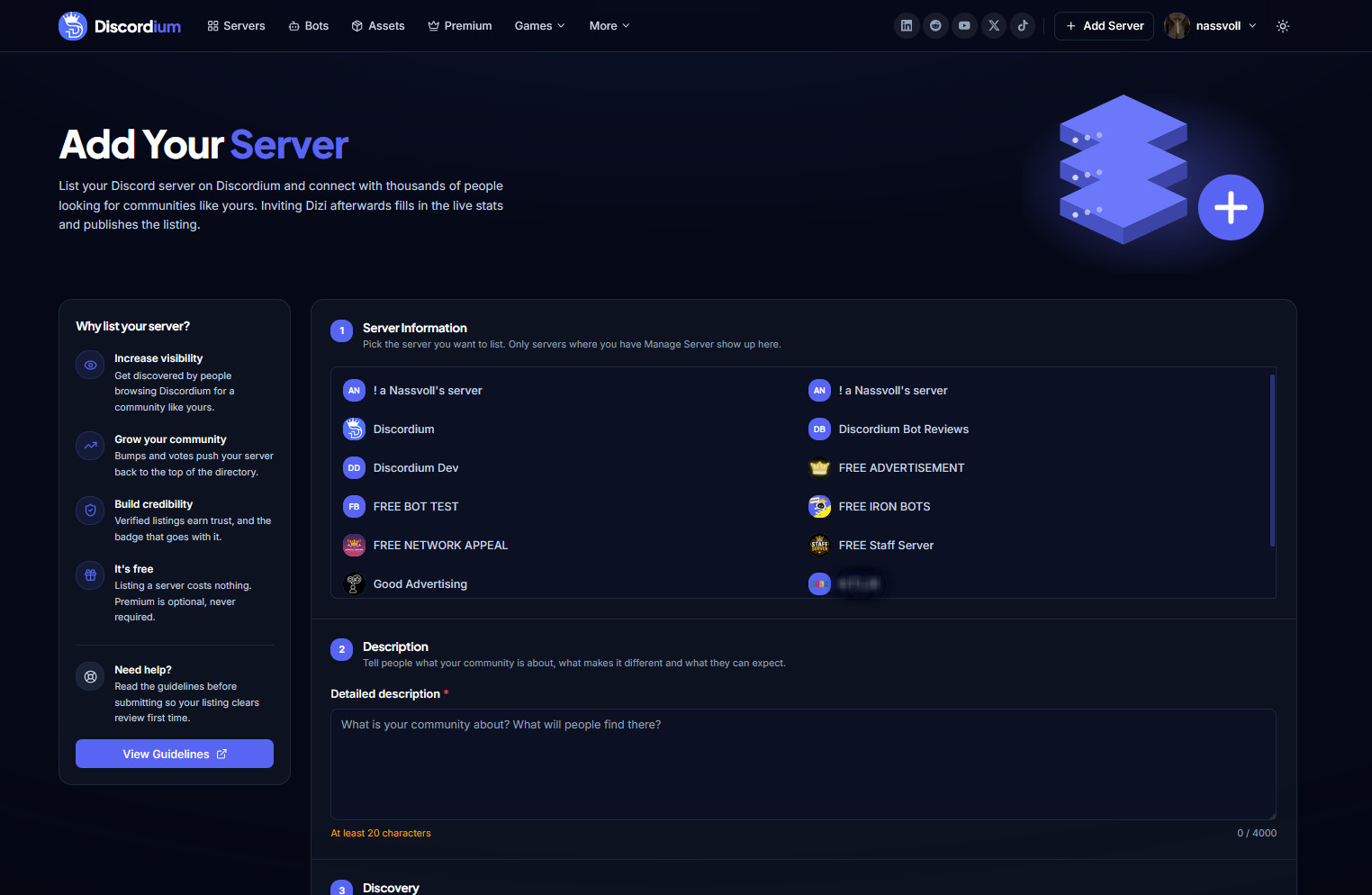
A completely redesigned way to list your Discord server on Discordium — with server selection, discovery settings, tags, guidelines validation, live previews, and direct Dizi integration.
Neu
- New Add Your Server experience
- Step-by-step server submission process
- Discord server selection
- Manage Server permission detection
- Detailed server descriptions
- Up to 4,000 characters for server descriptions
- Custom Discord invite support
- Automatic invite support through Dizi
- Server tag selection
- Up to five discovery tags per listing
- Rules & Guidelines confirmation
- Direct access to Discordium Guidelines
- Live server listing preview
- Pending Review status preview
- Automatic server icon integration through Dizi
- Automatic member count integration through Dizi
- Server listing review process
- Submission validation
- Server eligibility checks
- Dedicated listing benefits overview
- Free server listing support
Geändert
- Completely redesigned the server submission interface
- Simplified the process of adding a Discord server
- Organized server submissions into four clear sections
- Improved Discord server selection
- Improved description and discovery configuration
- Made invite codes optional when Dizi is connected
- Improved visibility of Discordium listing requirements
- Improved Guidelines integration before submission
- Improved preview of how listings appear in Server Discovery
- Updated Add Your Server to match the current Discordium design system
- Improved desktop and mobile responsiveness
Behoben
- Improved server permission detection
- Improved validation of server descriptions
- Improved Discord invite validation
- Improved tag input and tag limit handling
- Improved form validation and error states
- Improved server selection for accounts with multiple communities
- Improved listing preview rendering
- Improved submission state handling
- Improved responsive form layouts
Sicherheit
- Restricted server selection to communities where the user has Manage Server permissions
- Added mandatory Discordium Guidelines confirmation before submission
- Improved validation of Discord invite codes
- Improved validation and sanitization of server descriptions and tags
- Added additional safeguards for user-provided listing information
- Improved server ownership and permission verification
v1.11.0
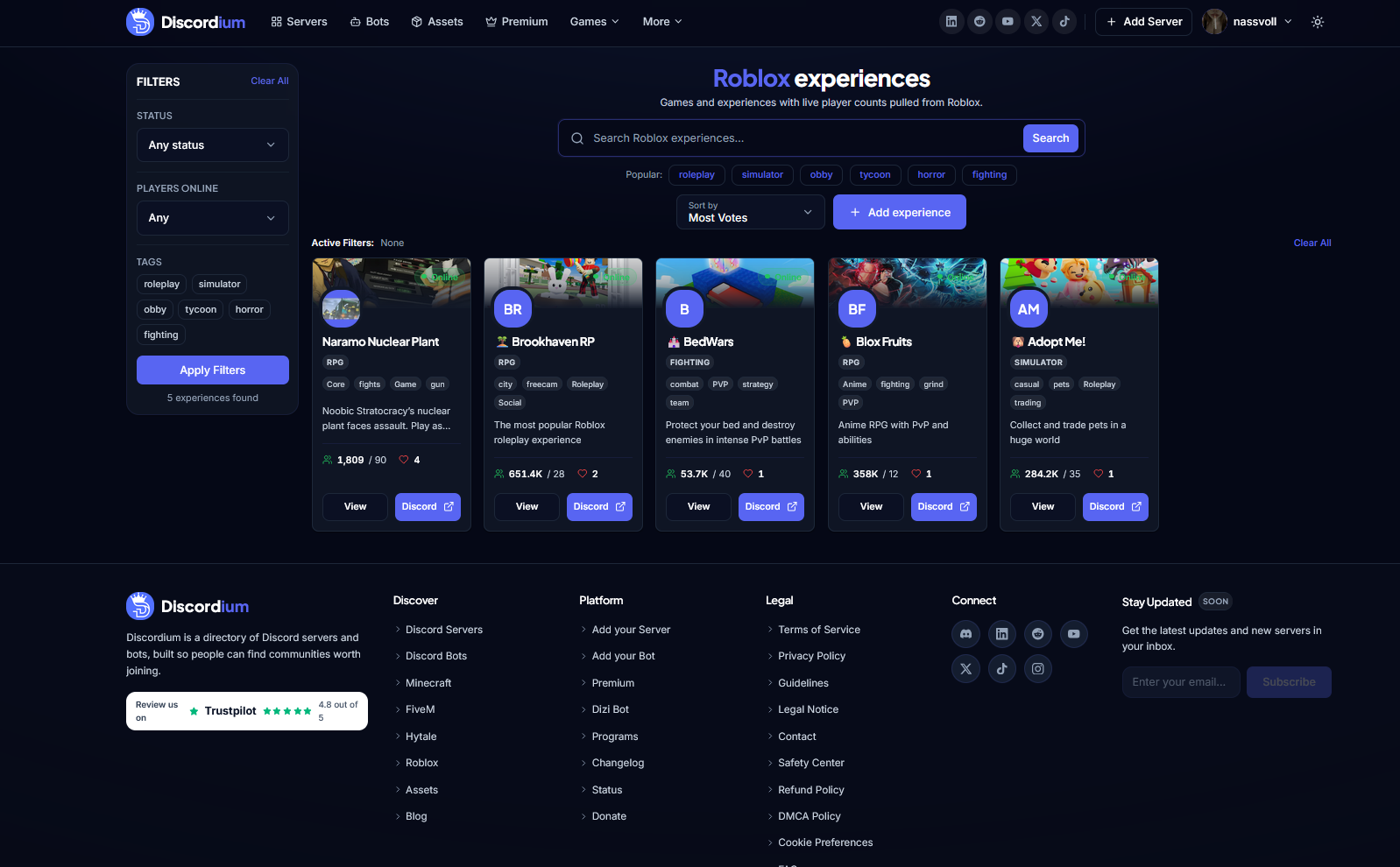
minorNew Roblox Experiences Discovery
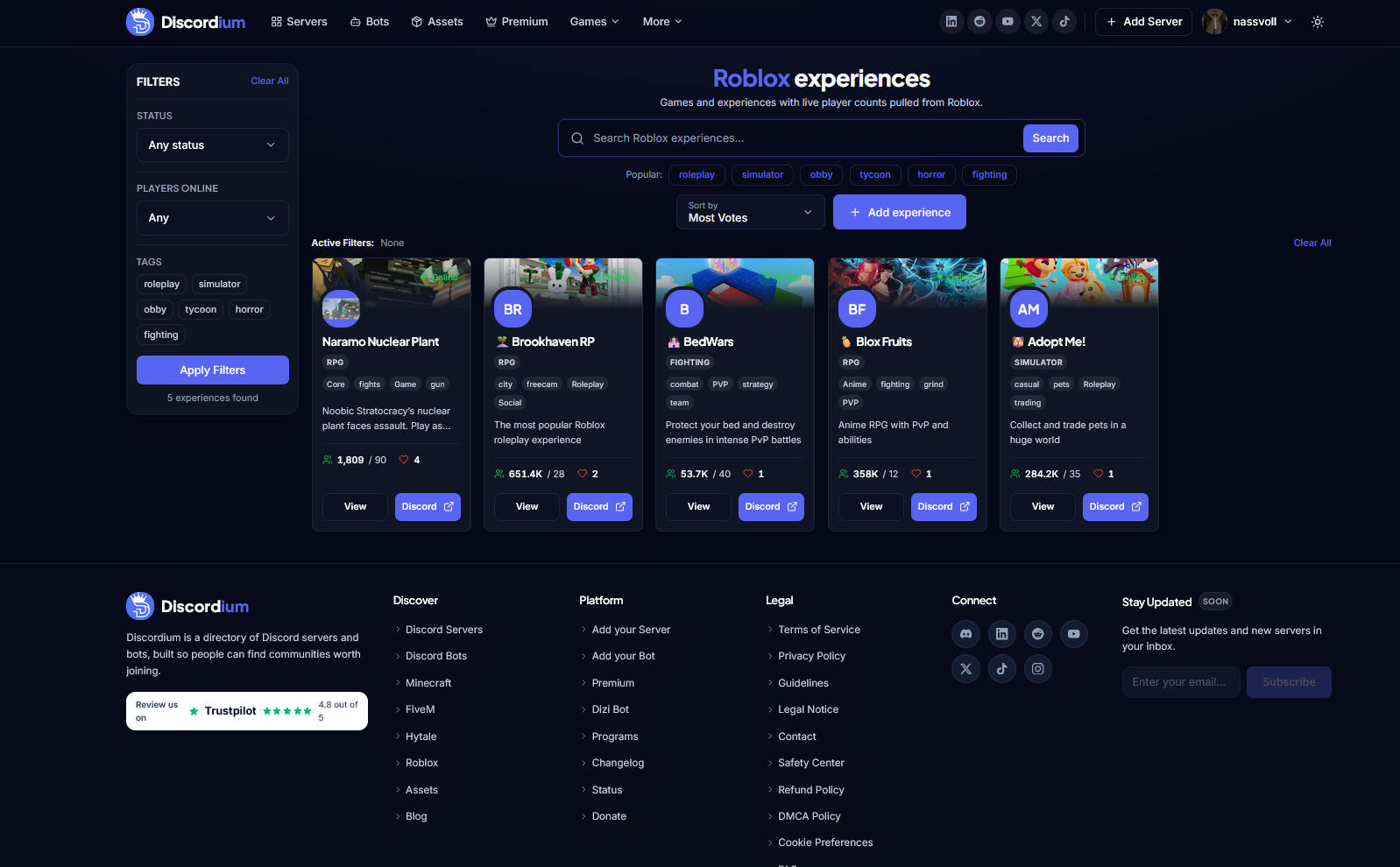
Discover Roblox games and experiences with live player counts, powerful search and filtering, community tags, voting, and direct connections to their Discord communities.
Neu
- New Roblox Experiences Discovery page
- Roblox experience search
- Live player counts from Roblox
- Experience status indicators
- Players Online filtering
- Experience tag filtering
- Popular Roblox categories
- Experience sorting options
- Most Votes sorting
- Experience vote counters
- Experience thumbnails and icons
- Online status indicators
- Dedicated experience cards
- Experience descriptions
- Experience category badges
- Community tags
- Quick access to experience details
- Direct Discord community links
- Active filter overview
- Add Experience functionality
- Experience result counter
Geändert
- Introduced a dedicated discovery experience for Roblox
- Improved presentation of Roblox games and experiences
- Improved visibility of live player statistics
- Improved experience cards with thumbnails, icons, tags, and community information
- Improved discovery through popular categories such as Roleplay, Simulator, Obby, Tycoon, Horror, and Fighting
- Improved search and filtering workflow
- Updated Roblox Discovery to match the current Discordium design system
- Improved navigation between Roblox experiences
- Improved desktop and mobile responsiveness
Behoben
- Improved live Roblox player count handling
- Improved online status display
- Improved Roblox thumbnail and icon rendering
- Improved handling of long experience names and descriptions
- Improved tag and category rendering
- Improved filter state handling
- Improved responsive card layouts
- Improved handling of unavailable experience information
Sicherheit
- Improved validation of Roblox experience information
- Improved validation of submitted experience links and identifiers
- Improved handling of external Discord links
- Added safeguards for user-provided experience metadata
- Improved validation of data retrieved from Roblox
v1.10.0
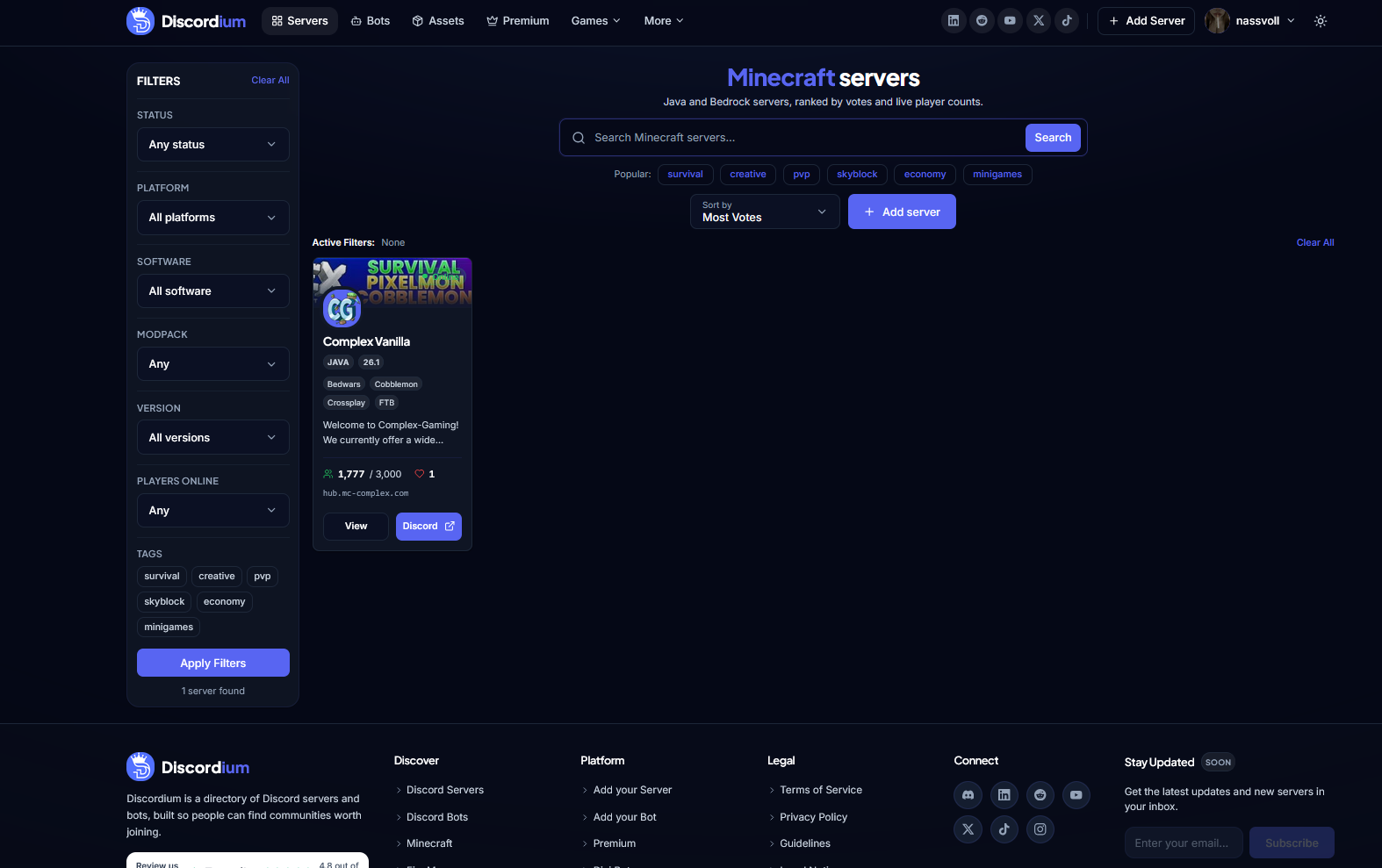
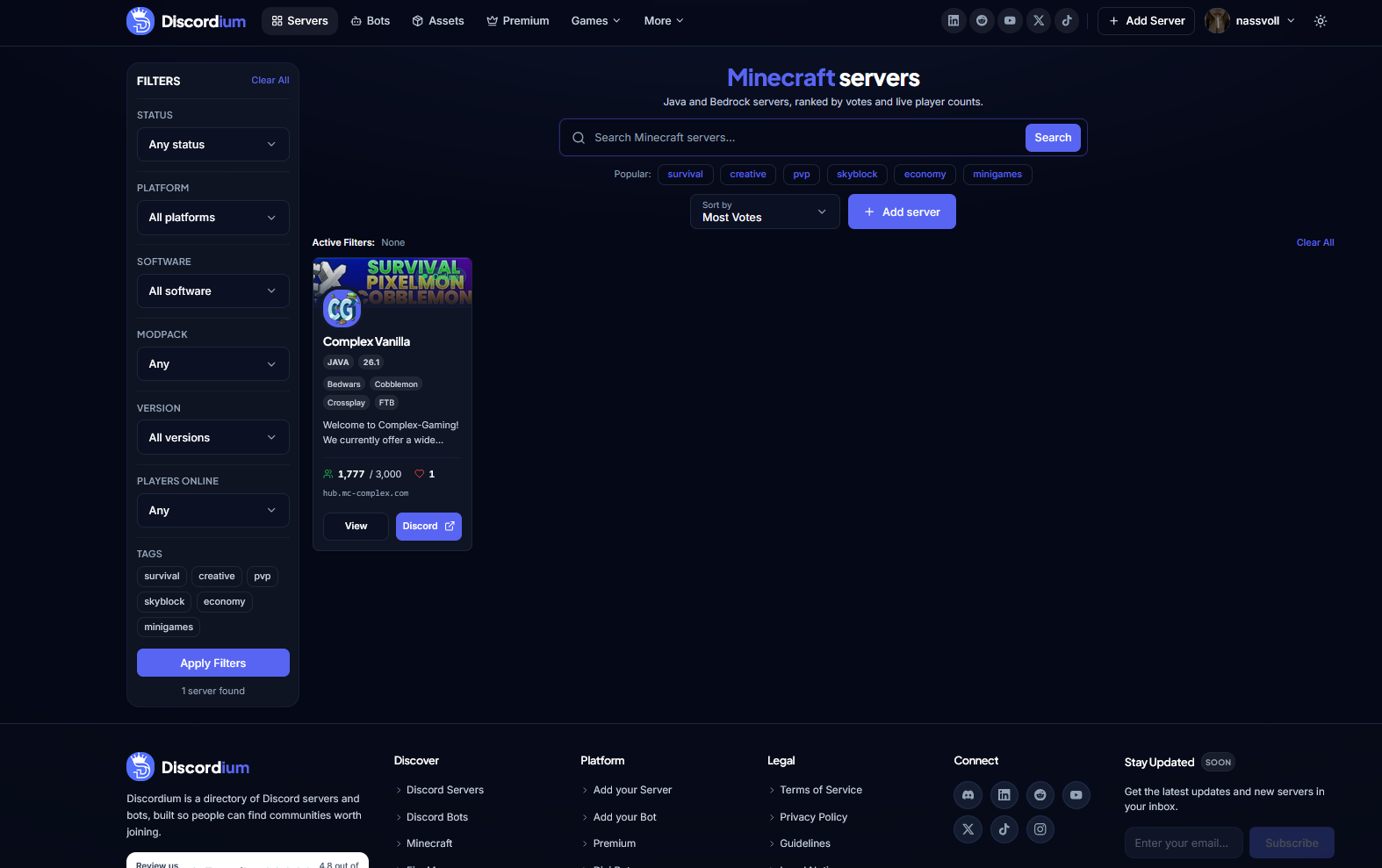
minorNew Minecraft Server Discovery Experience
Discover Java and Bedrock Minecraft servers with powerful filters, live player counts, server versions, tags, voting, and a dedicated Minecraft Server Discovery experience.
Neu
- New Minecraft Server Discovery page
- Java Edition server support
- Bedrock Edition server support
- Minecraft server search
- Server status filtering
- Platform filtering
- Server software filtering
- Modpack filtering
- Minecraft version filtering
- Players Online filtering
- Minecraft server tags
- Popular search tags
- Server sorting options
- Most Votes sorting
- Live player counts
- Maximum player capacity display
- Minecraft version display
- Server address display
- Server vote counters
- Server banner support
- Dedicated Minecraft server cards
- Quick access to server details
- Direct Discord community links
- Active filter overview
- Add Server functionality
- Server result counter
Geändert
- Redesigned Minecraft server discovery experience
- Improved presentation of Minecraft server information
- Improved visibility of live player statistics
- Improved discovery across Java and Bedrock servers
- Improved filtering for versions, software, modpacks, and player counts
- Improved server card layout and readability
- Updated Minecraft Discovery to match the current Discordium design system
- Improved navigation between Minecraft listings
- Improved desktop and mobile responsiveness
Behoben
- Improved Minecraft server status handling
- Improved live player count display
- Improved handling of offline or unavailable servers
- Improved server banner rendering
- Improved long server name and description handling
- Improved tag and version badge rendering
- Improved filter state handling
- Improved responsive layouts across different screen sizes
Sicherheit
- Improved validation of Minecraft server addresses
- Improved validation of submitted server information
- Improved handling of external Discord links
- Added safeguards for user-provided Minecraft server metadata
- Improved validation of server status and query data
v1.9.0
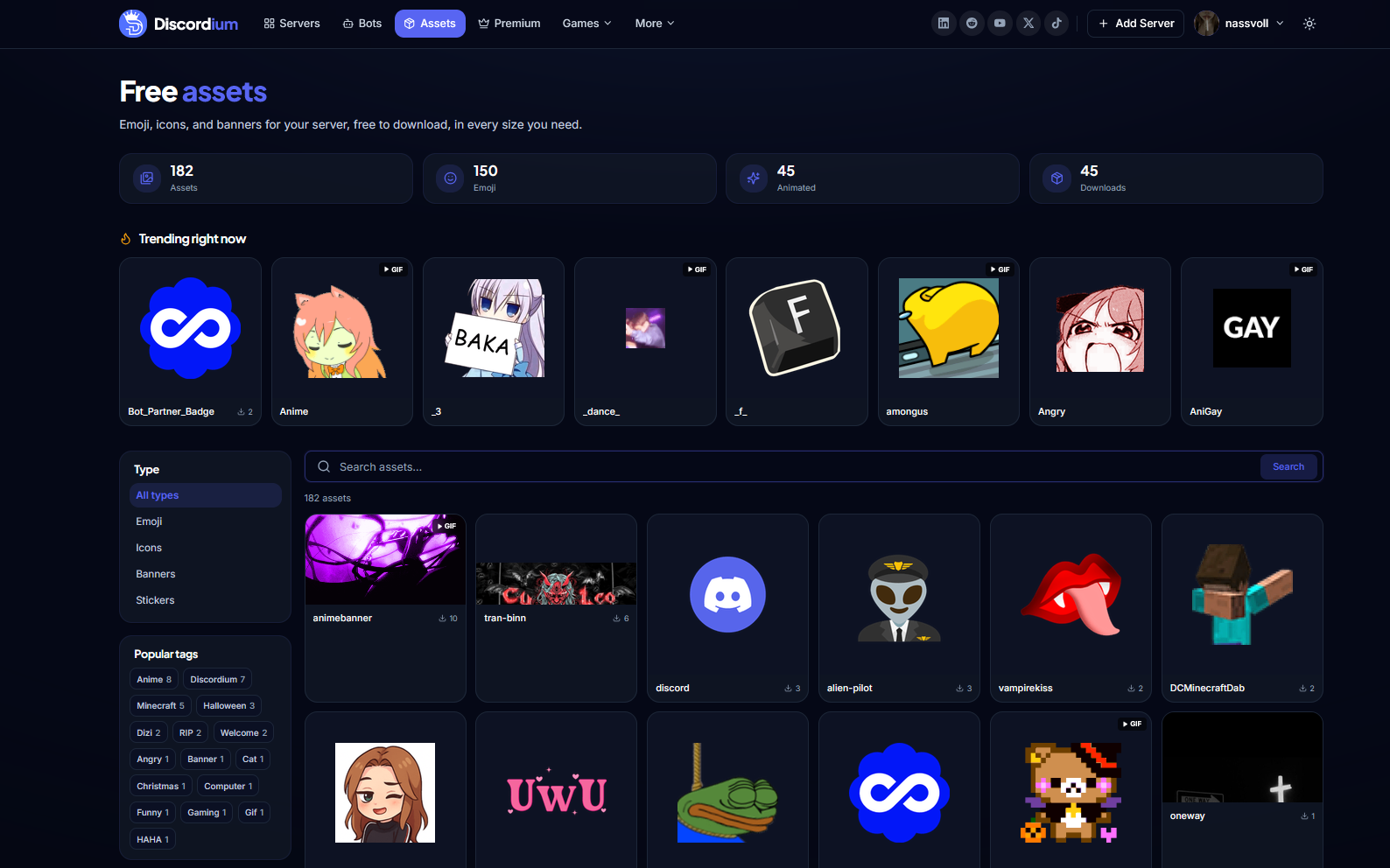
minorIntroducing the Discordium Assets Library
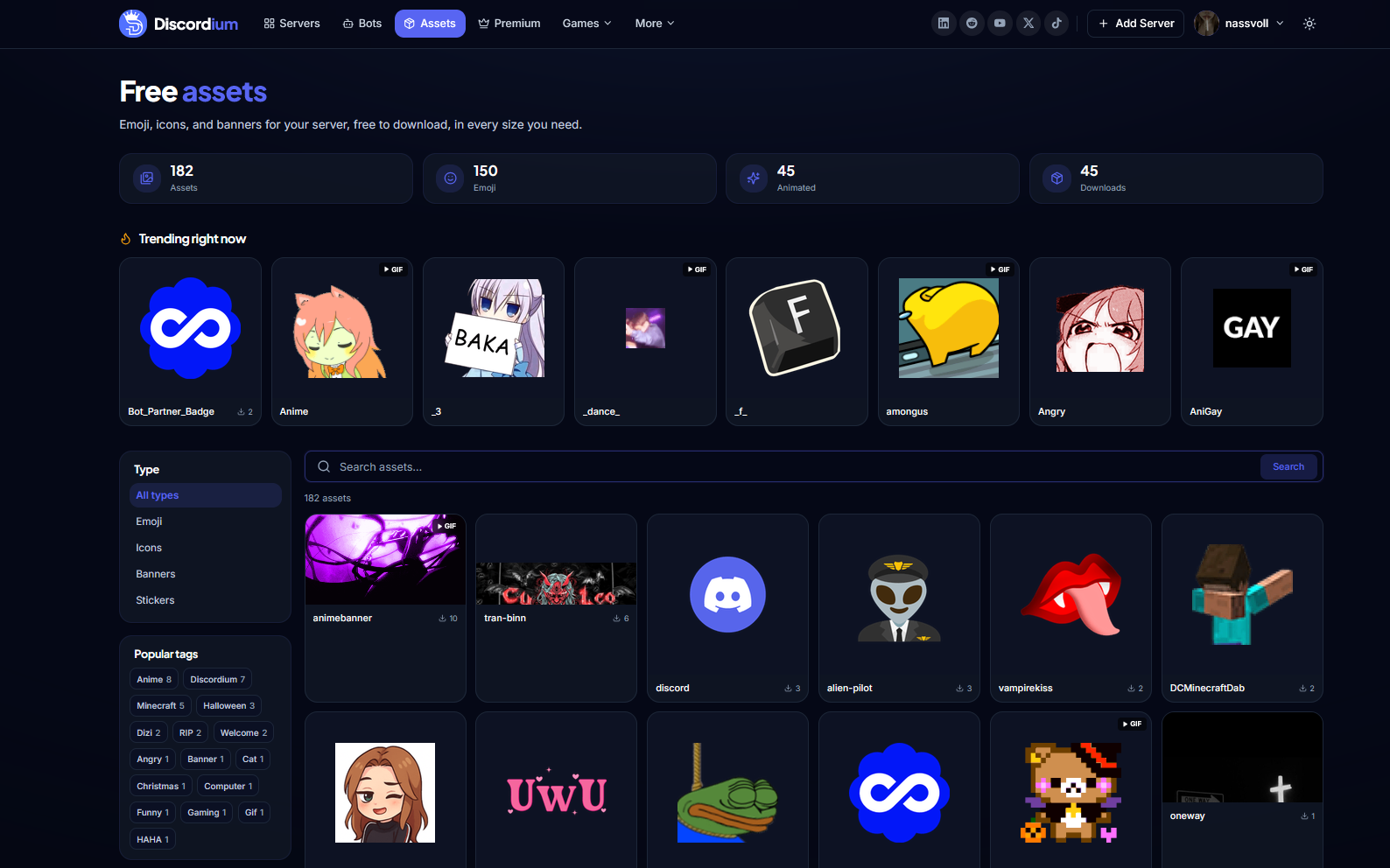
Discover free emojis, icons, banners, stickers, and animated assets for your Discord community with the new Discordium Assets Library.
Neu
- Free downloadable community assets
- Emoji asset collection
- Icon asset collection
- Banner asset collection
- Sticker asset collection
- Animated GIF support
- Trending Assets section
- Asset search functionality
- Asset type filtering
- Popular tag discovery
- Asset download counters
- Total asset statistics
- Emoji statistics
- Animated asset statistics
- Download statistics
- Dedicated asset preview cards
- GIF indicators for animated assets
- Responsive asset gallery
- Quick asset downloads
Geändert
- Added Assets to the main Discordium navigation
- Introduced a gallery-based layout for browsing assets
- Improved asset previews for images and animated content
- Improved discovery through popular tags
- Improved visibility of trending assets
- Improved presentation of asset and download statistics
- Updated Assets Library to match the current Discordium design system
- Improved layout across desktop and mobile devices
Behoben
- Improved asset preview rendering
- Improved GIF and animated asset handling
- Improved spacing and alignment across the asset gallery
- Improved handling of assets with different image dimensions
- Improved search and type filter behavior
- Improved long asset name handling
- Improved responsive asset grid behavior
Sicherheit
- Improved validation of asset files and metadata
- Improved handling of asset downloads
- Added safeguards for supported asset formats
- Improved validation of uploaded and animated content
v1.8.0
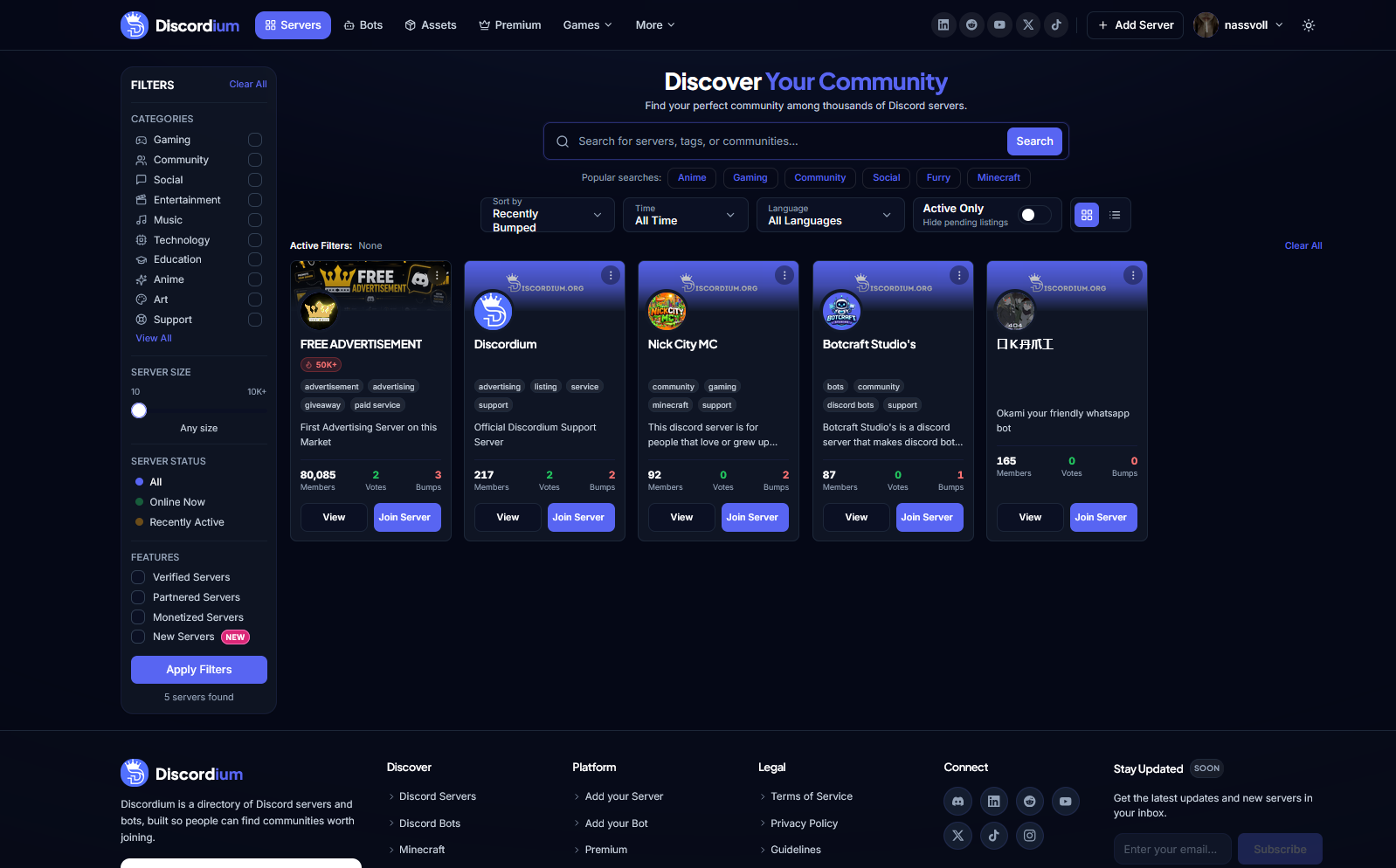
minorNew Server Discovery Experience
A completely redesigned Server Discovery experience makes it easier than ever to search, filter, and discover Discord communities that match your interests.
Neu
- New Server Discovery page
- Advanced server search
- Category-based server filtering
- Server size filtering
- Server status filtering
- Verified Server filter
- Partnered Server filter
- Monetized Server filter
- New Server filter
- Language filtering
- Time-based discovery filters
- Popular search suggestions
- Recently Bumped sorting
- Active Only filtering
- Grid and list view options
- Active filter overview
- Server member counts
- Server vote statistics
- Server bump statistics
- Server tags
- Server activity indicators
- Direct Join Server buttons
- Quick access to server details
- Server result counter
- Clear All filter option
Geändert
- Completely redesigned the main Server Discovery experience
- Redesigned server cards with more relevant community information
- Improved search and filtering workflow
- Improved visibility of server activity and statistics
- Improved category navigation
- Improved server status presentation
- Improved discovery of recently active communities
- Updated Server Discovery to match the new Discordium design system
- Improved desktop and mobile responsiveness
- Improved overall discovery performance and usability
Behoben
- Improved spacing and alignment across Server Discovery
- Fixed inconsistent server card layouts
- Improved handling of long server names and descriptions
- Improved tag rendering on server cards
- Improved filter state handling
- Improved responsive behavior across different screen sizes
- Improved empty and filtered result states
Sicherheit
- Improved validation of server listing data
- Improved handling of Discord invite links
- Improved filtering and validation of user-provided search parameters
- Added additional safeguards for external server links
v1.7.0
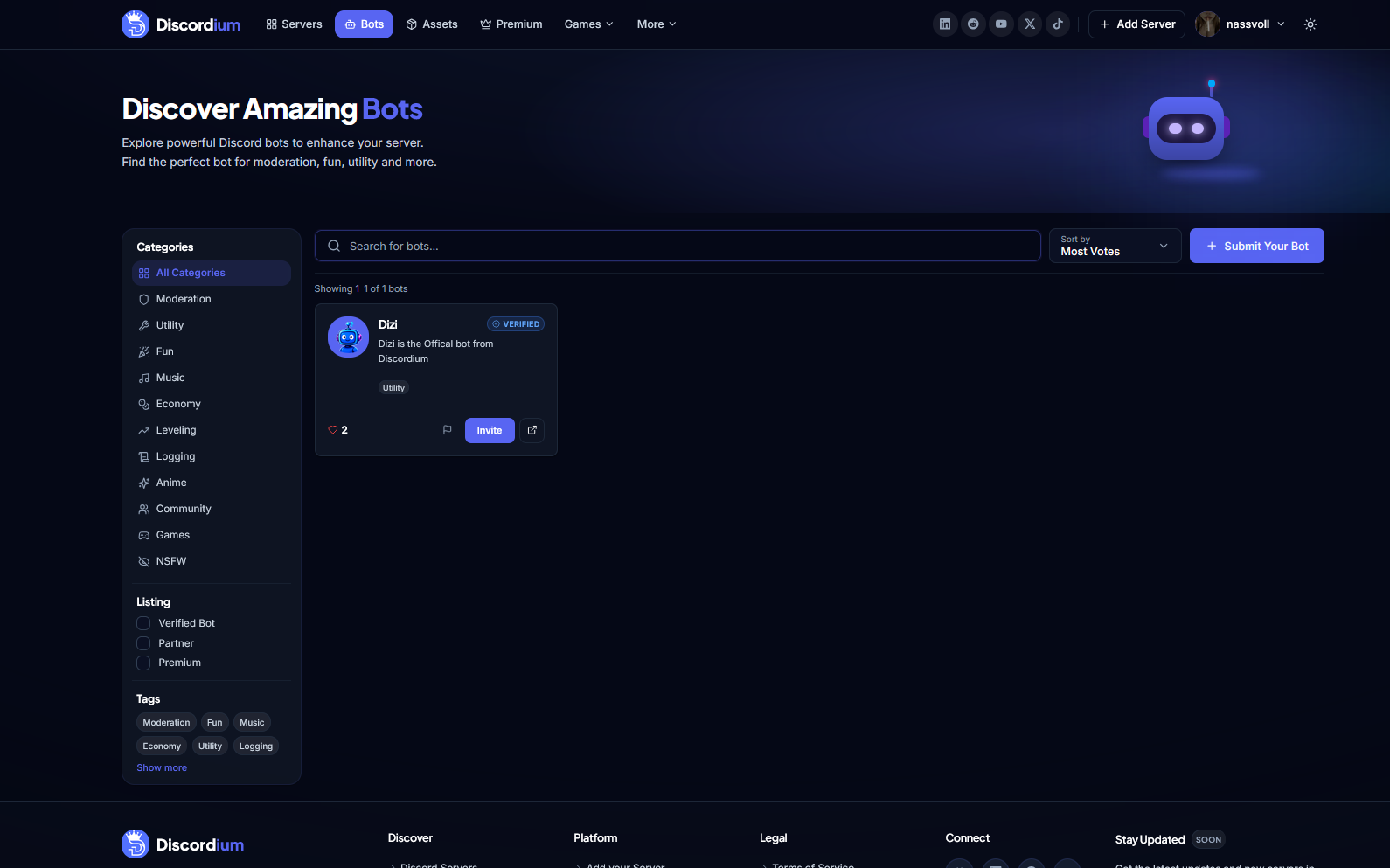
minorNew Bot Discovery Experience
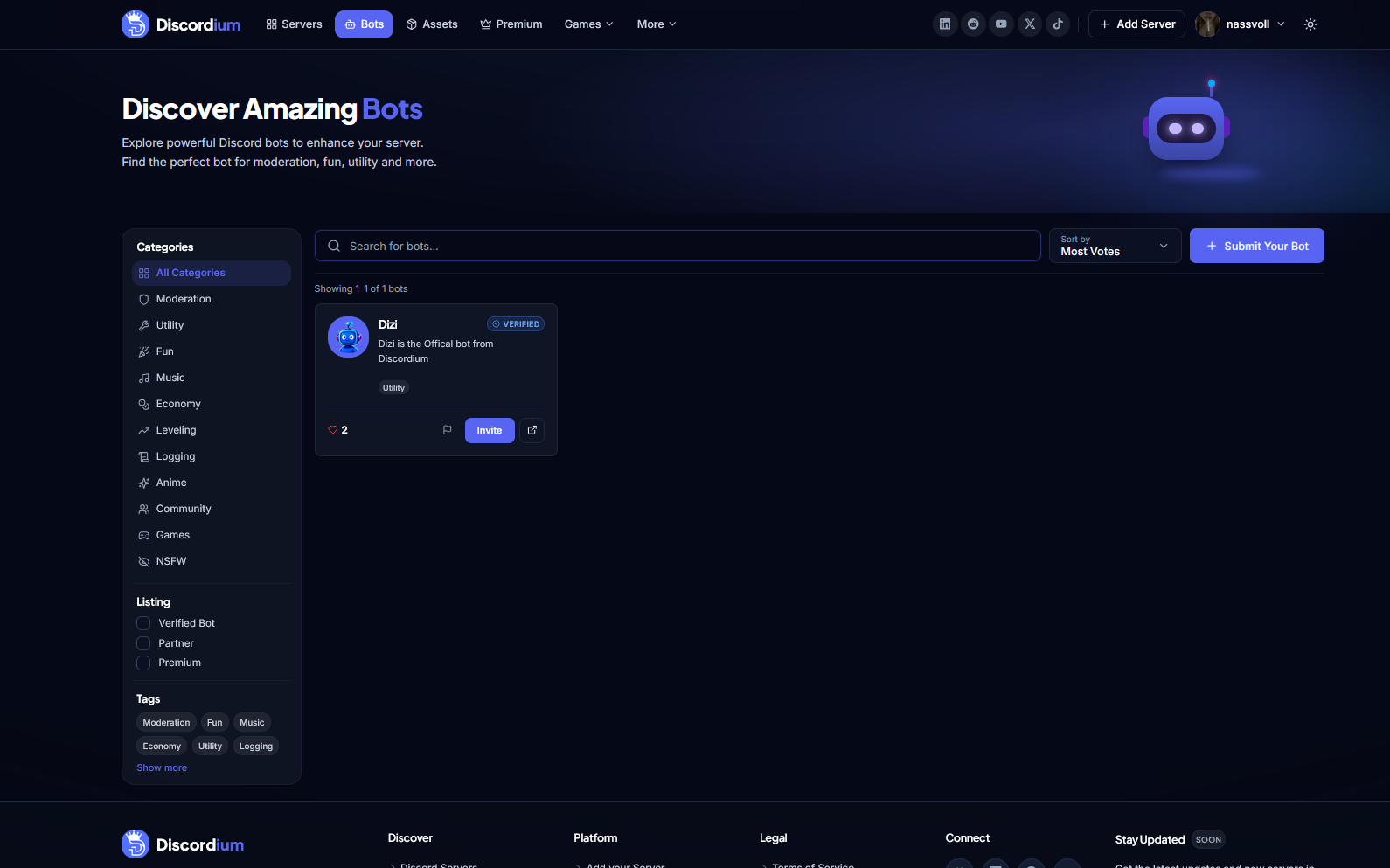
Discover Discord bots more easily with Discordium’s redesigned Bot Discovery experience, featuring powerful search, categories, filters, tags, sorting, and improved bot listings.
Neu
- New Bot Discovery page
- Bot search functionality
- Bot category filtering
- Bot tag filtering
- Verified Bot filter
- Partner Bot filter
- Premium Bot filter
- Bot sorting options
- Bot vote counters
- Verified Bot badges
- Direct bot invite buttons
- Dedicated bot listing cards
- Bot category and tag indicators
- Submit Your Bot button
- Bot result counter
- Quick access to individual bot pages
Geändert
- Redesigned bot discovery interface
- Improved bot listing cards for better readability
- Improved navigation between bot categories
- Improved search and filtering experience
- Updated Bot Discovery to match the current Discordium design system
- Improved desktop and mobile responsiveness
- Improved visibility of bot verification status
- Improved presentation of bot votes and categories
Behoben
- Improved spacing and alignment across Bot Discovery
- Fixed inconsistent bot card layouts
- Improved handling of long bot names and descriptions
- Improved responsive behavior on smaller screens
- Improved filter and search state handling
Sicherheit
- Improved validation for submitted bot information
- Improved handling of bot invite and external links
- Added additional safeguards around bot listing data
v1.6.0
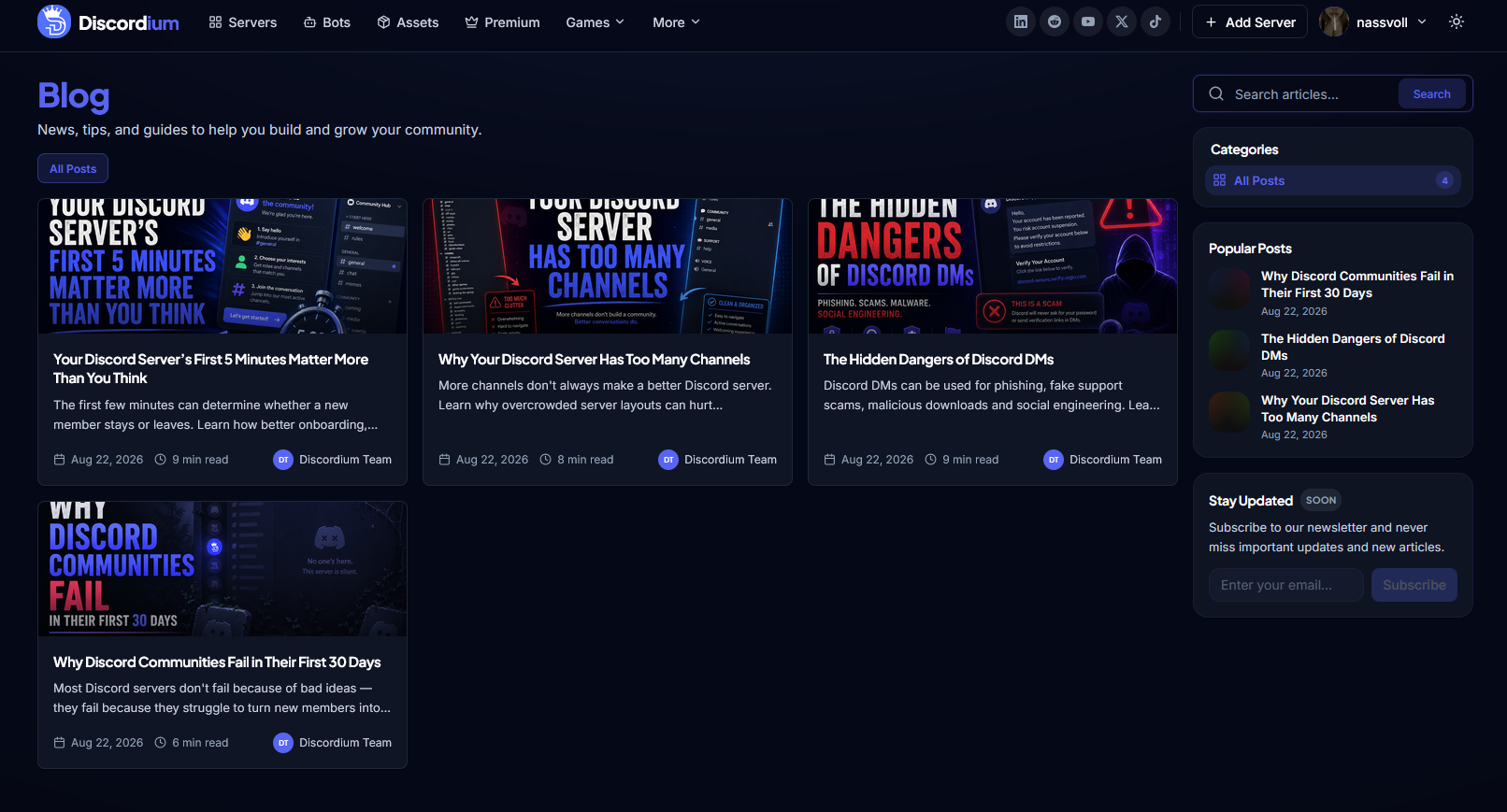
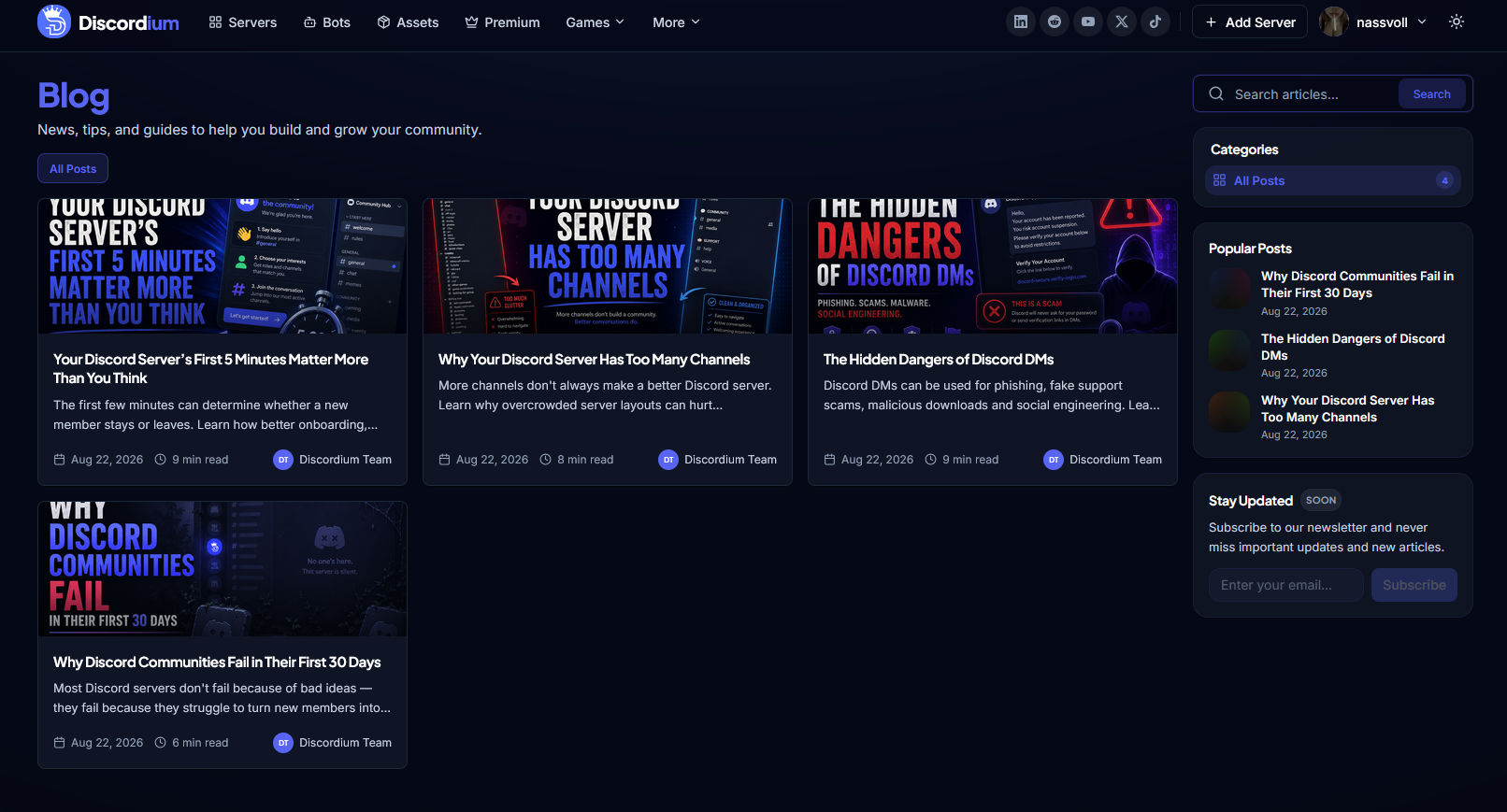
minorNew Discordium Blog Experience
Introducing the new Discordium Blog — a dedicated place for community guides, Discord tips, security insights, platform news, and more.
Neu
- New dedicated Blog page
- Article search functionality
- Blog category filtering
- Popular Posts section
- Article reading-time indicators
- Article author information
- Article publication dates
- Blog cover images and article previews
- Responsive article card layout
- Newsletter section for future updates
- SEO metadata support for blog articles
- Open Graph image support for articles
Geändert
- Improved navigation to make Discordium content easier to discover
- Updated article cards with a cleaner and more consistent design
- Improved Blog layout for desktop and mobile devices
- Integrated Blog styling with the current Discordium design system
- Improved article previews and content hierarchy
Behoben
- Improved spacing and alignment across Blog components
- Fixed inconsistent article card sizing
- Improved text truncation for longer article descriptions
- Improved responsive behavior on smaller screens
Sicherheit
- Added safer handling of article content and external links
- Improved validation for Blog content and metadata